Shopify (Edge)
On This Page
Currently, this Source is in BETA. You can contact Hevo Support or your account executive to enable it for your team.
Shopify is an e-commerce platform that enables businesses to create and manage online stores, including products, orders, customers, inventory, and payments. It provides APIs that allow access to store data for analytics and reporting.
To connect Hevo with Shopify, you need to create a custom app in your Shopify store. Unlike public apps that work across many stores, a custom app is built exclusively for your store and gives Hevo secure, scoped access to your data via Shopify’s GraphQL Admin API. You configure the app with the required Admin API permissions to control exactly which data Hevo can fetch. You must install this app in your store to set up a Pipeline in Hevo with Shopify as the Source.
Supported Features
| Feature Name | Supported |
|---|---|
| Capture deletes | Yes |
| Data blocking (skip objects and fields) | Yes |
| Resync (objects and Pipelines) | Yes |
| API configurable | Yes |
| Authorization via Custom App credentials | Yes |
Prerequisites
-
An active Shopify account from which data is to be ingested exists.
-
A custom app is created and installed in your Shopify store with the required API access scopes configured.
Create and Install an App in Shopify
As a first step of replicating data from your Shopify store to the desired Destination, you must create a custom app, using which, you can make API calls to your Shopify store and fetch data. To do this:
-
Log in to your Shopify Store Admin account.
-
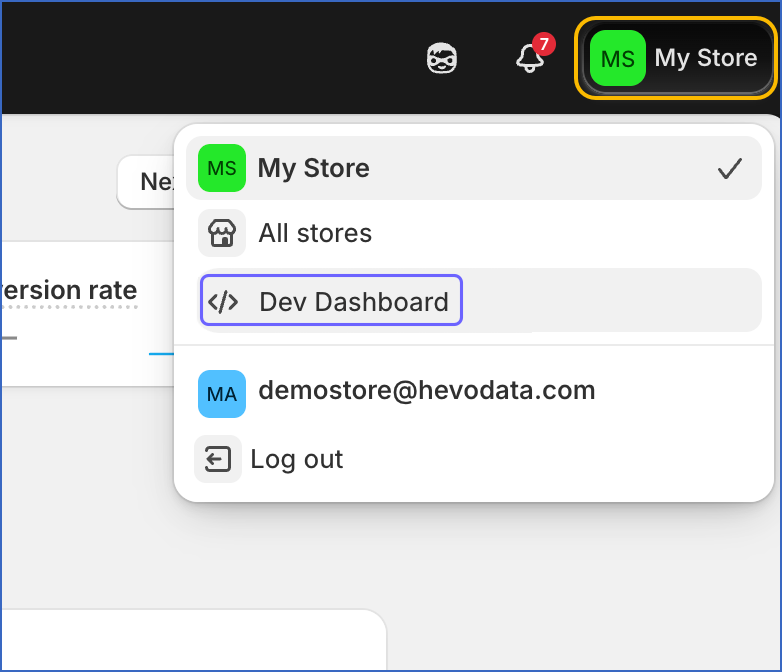
On the top-right corner of the page, click your store name, and then click Dev Dashboard.
-
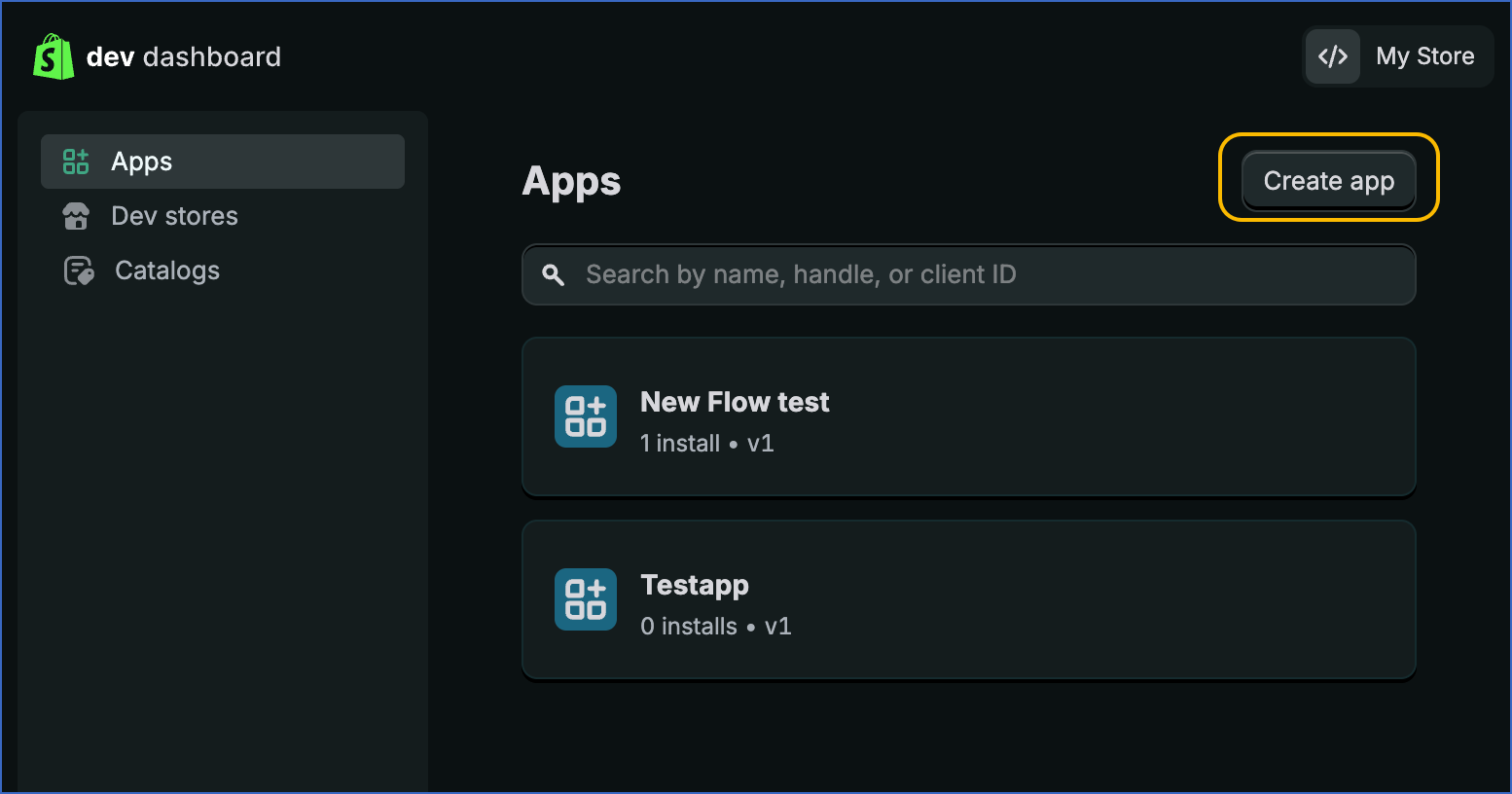
On the Apps page, click Create app.
-
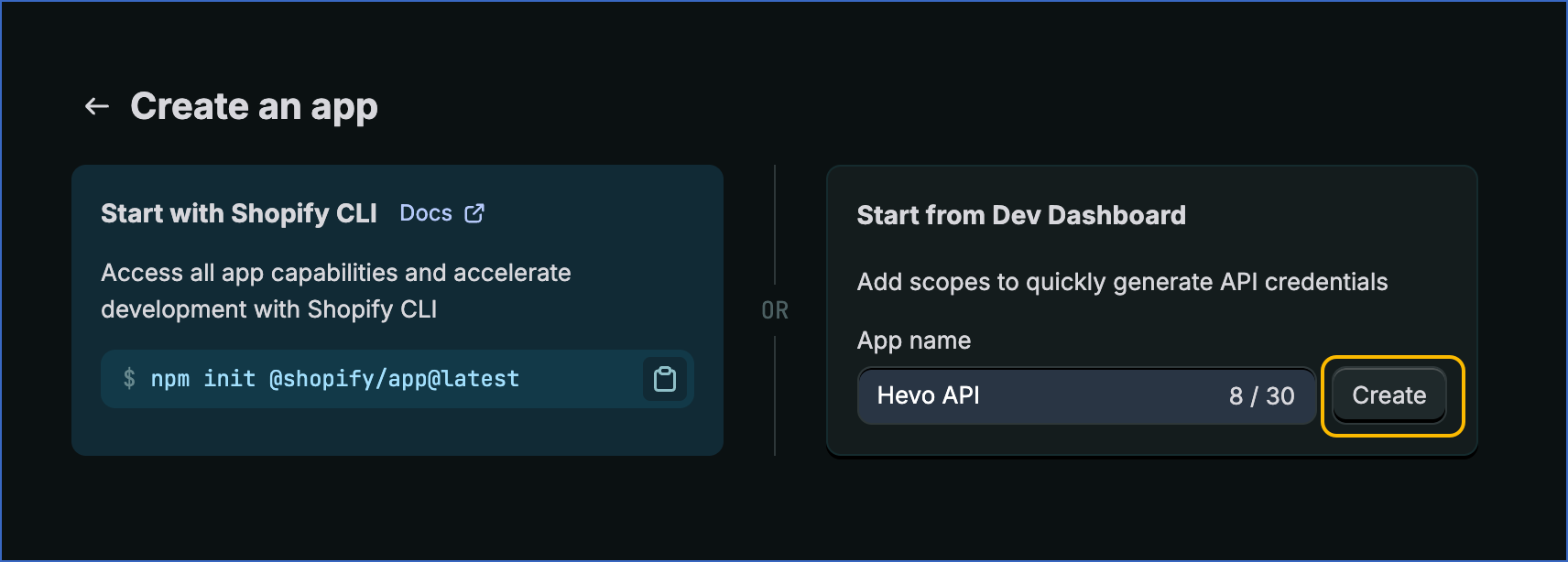
In the Create an app screen, provide a descriptive name for your custom app, and then click Create.
-
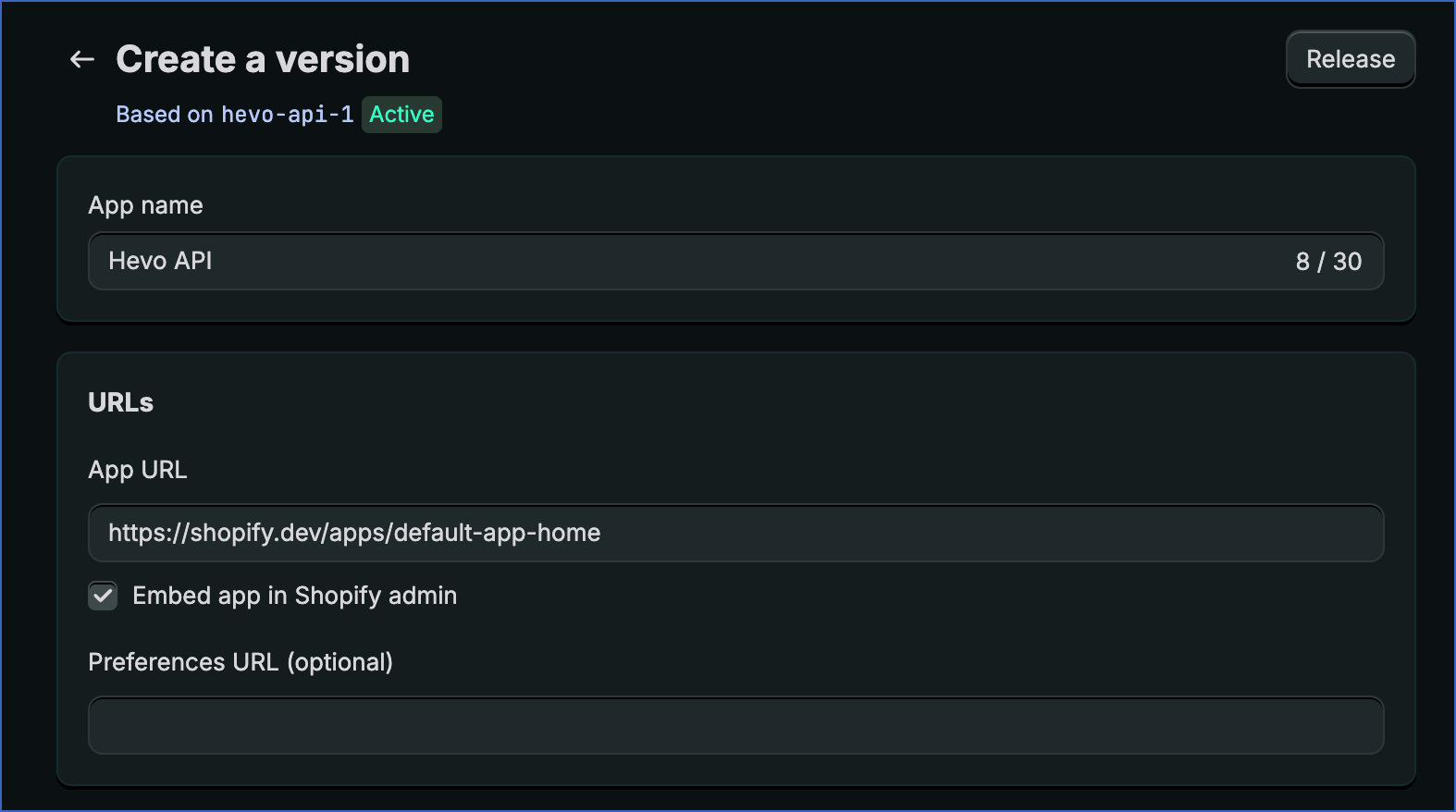
In the Create a version screen, enter the App URL of your Shopify App. This is the URL of your app or Shopify store homepage. If you haven’t deployed your app yet, you can use Shopify’s default App URL, https://shopify.dev/apps/default-app-home, and update it later with your own hosted URL.
-
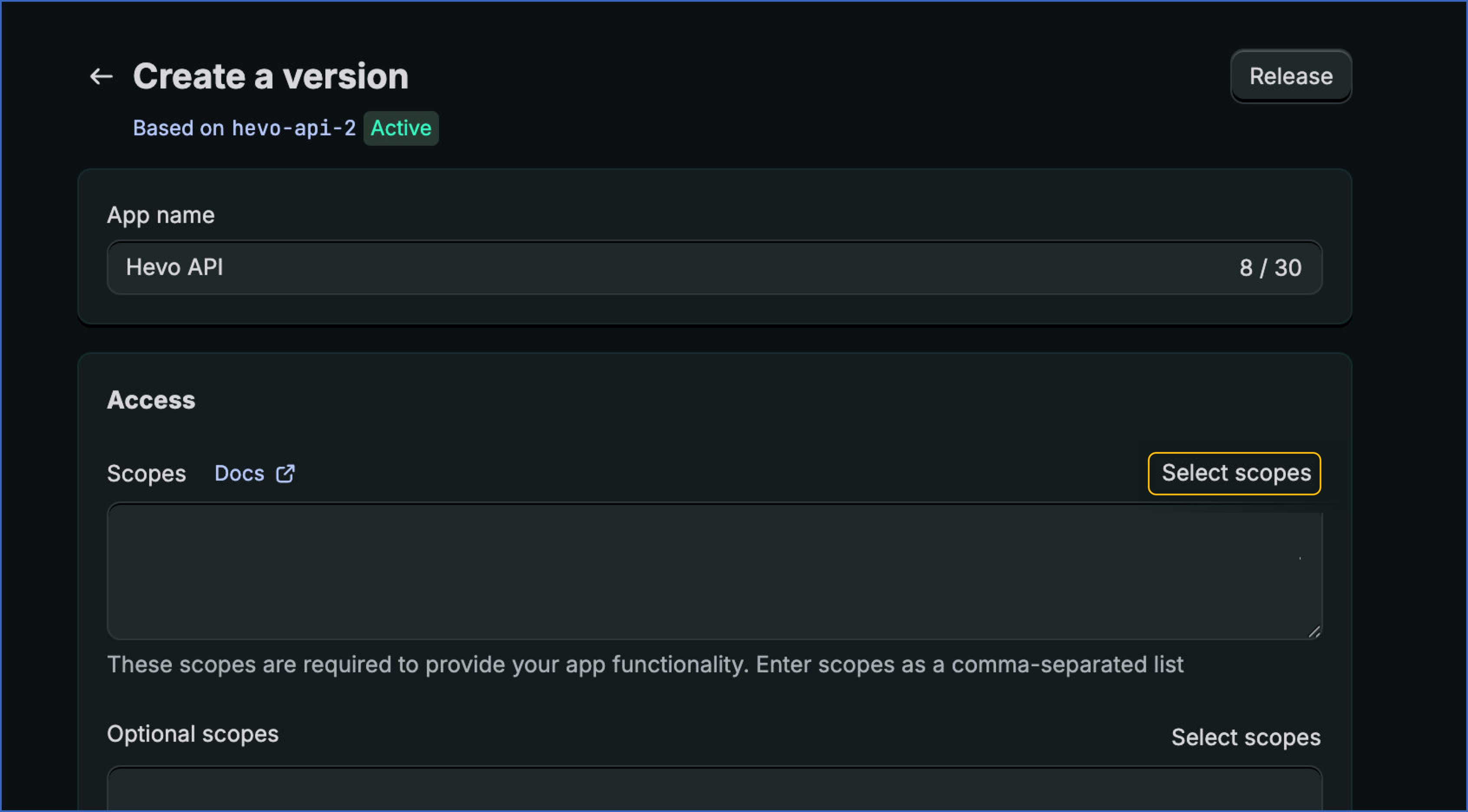
To configure the app to make API calls, you must grant the required permissions for the different scopes and the data within these scopes. To do this, under the Access section, click Select scopes.
-
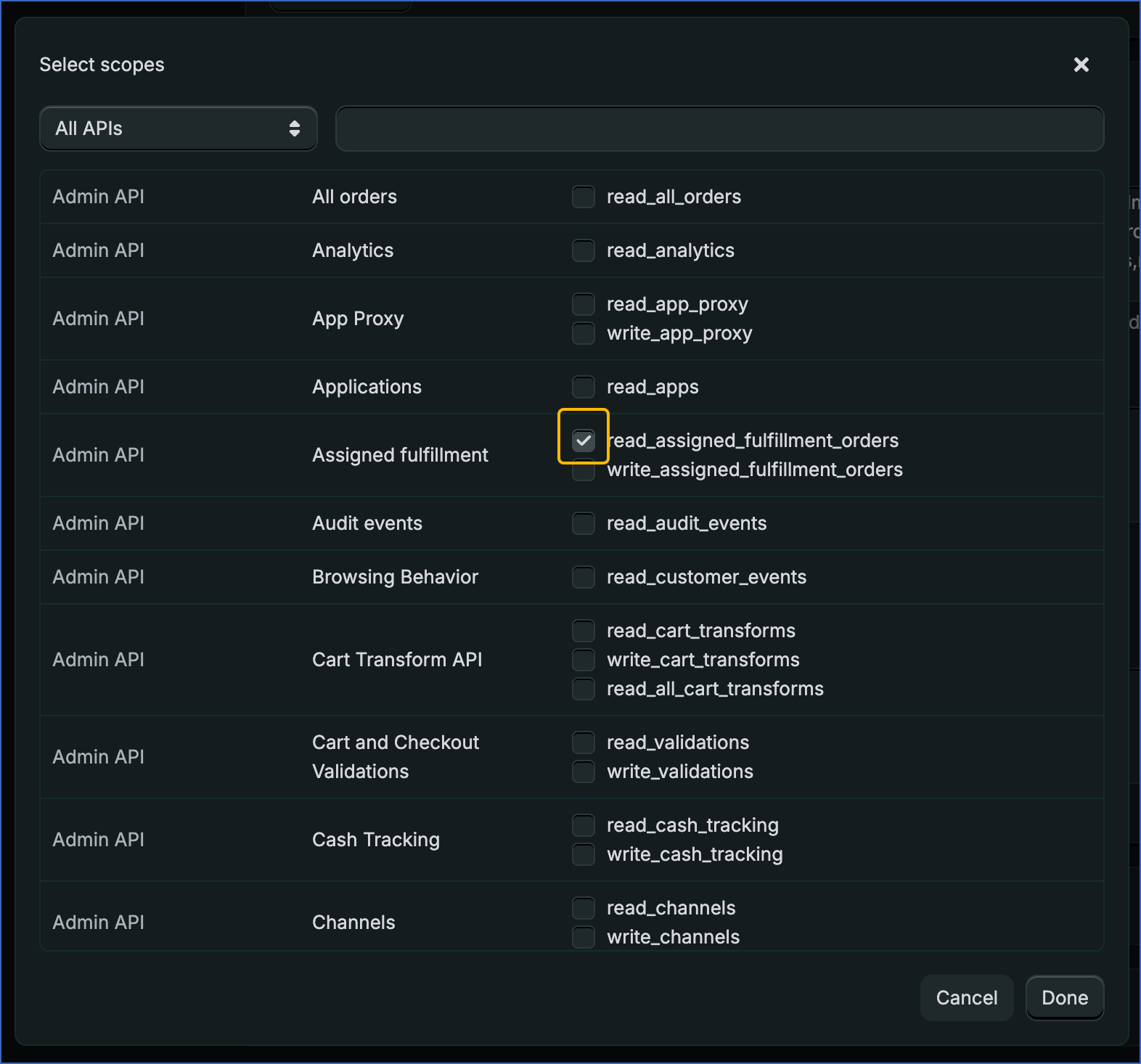
In the Select scopes screen, enable the read_<scope_name> check box for the following scopes to get the read access. These scopes are required to replicate all supported Shopify objects in Hevo.
Note:
-
To replicate objects related to users and staff members, such as user and staff_member, the read_users scope is required. If this scope is not available in your Shopify custom app, contact your Shopify administrator or account owner to grant the required access.
-
The following list represents commonly required scopes. Depending on your use case, additional scopes such as read_analytics, read_reports, read_returns, read_themes, and read_translations may also be required.
- Assigned Fulfillment Orders
- Discounts
- Draft orders
- Fulfillment services
- Inventory
- Marketing events
- Merchant Managed Fulfillment Orders
- Orders
- Price rules
- Products
- Product listings
- Shipping
- Shopify Payment disputes
- Shopify Payment payouts
- Third Party Fulfillment Orders
-
-
Click Done.
-
In the top-right corner of the Create a version screen, click Release.
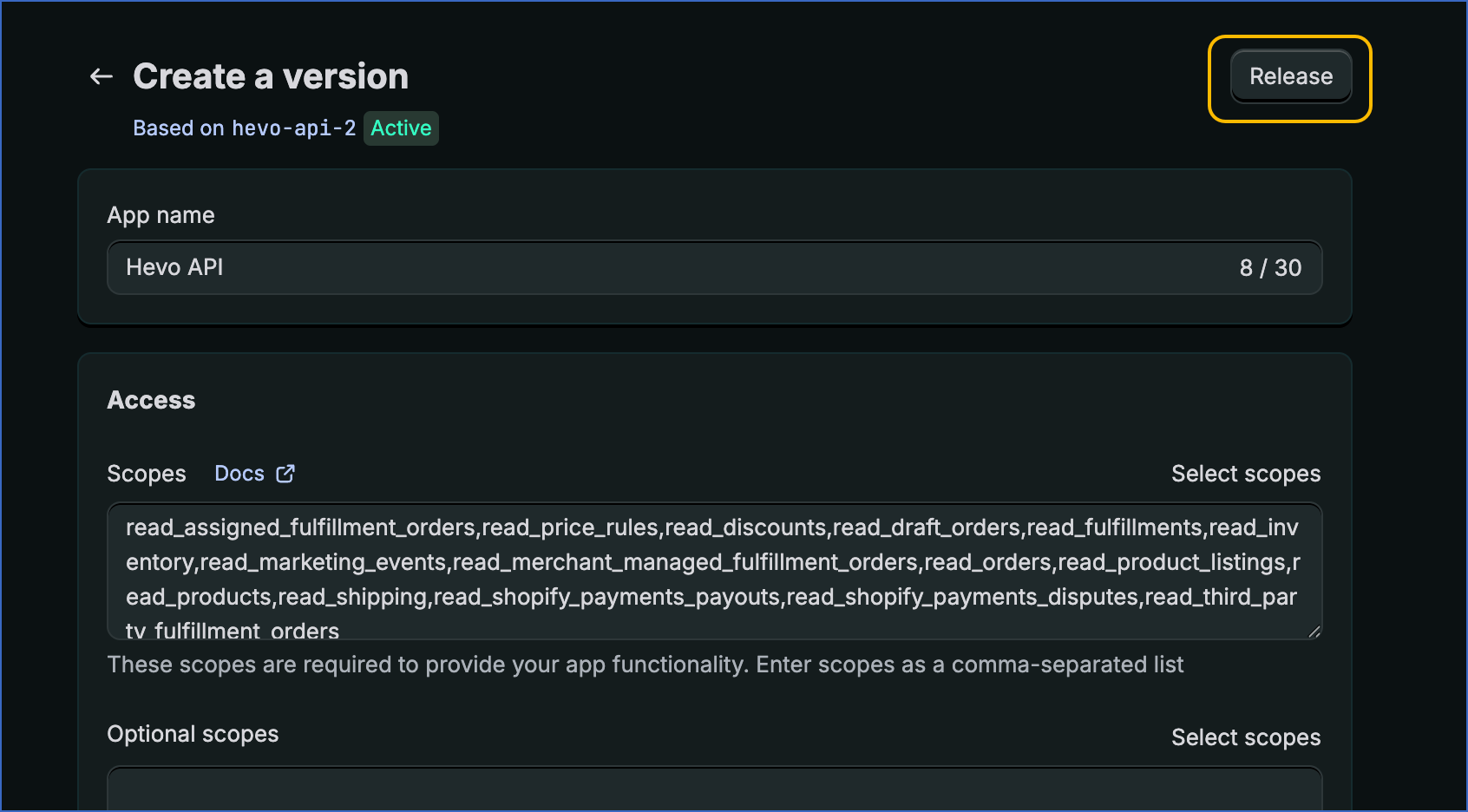
Once the version is released, the configuration is applied to your custom app. You can now proceed to install the app in your Shopify store.
-
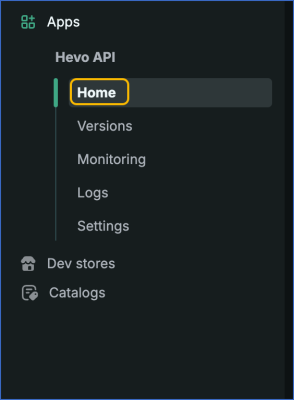
In the left navigation pane, click Home.
-
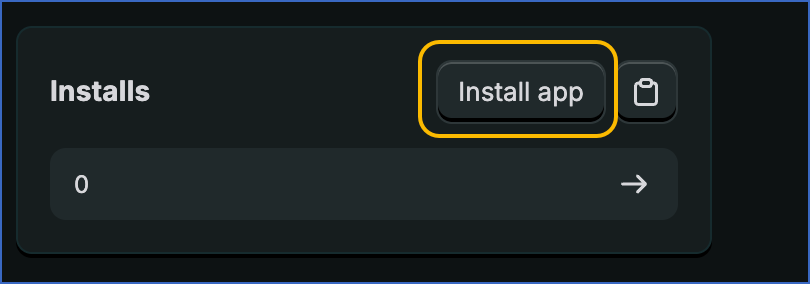
In the Installs section, click Install app.
-
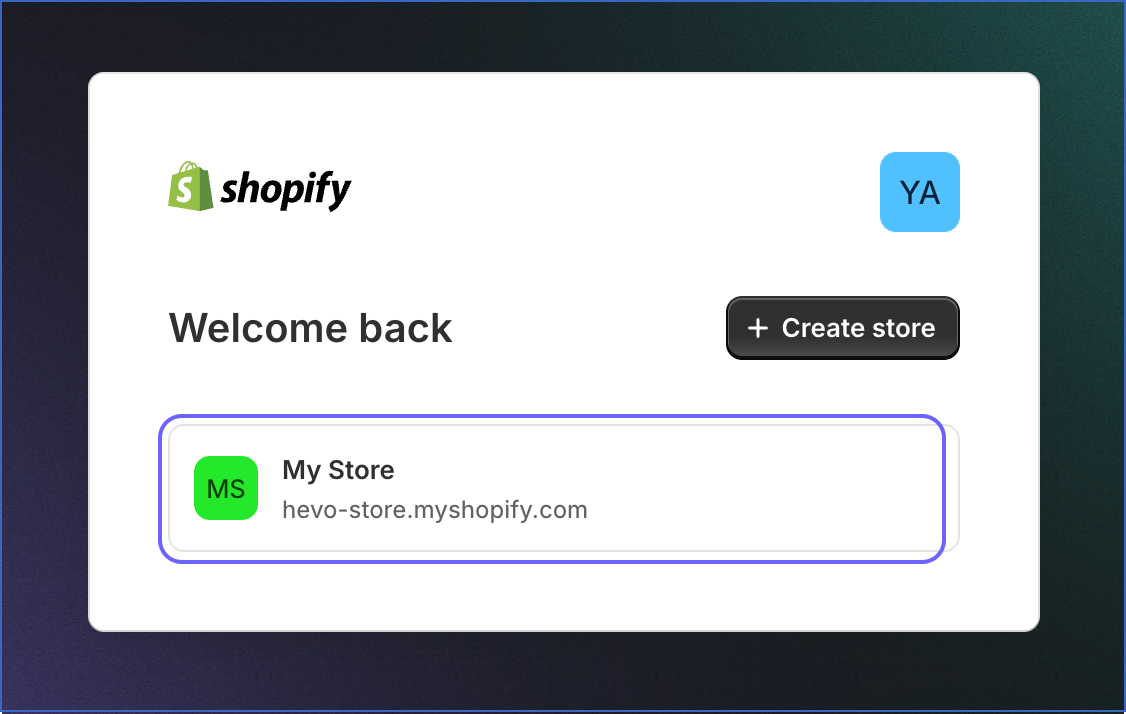
Select the Shopify store in which you want to install the custom app.
-
In the Install app screen, review the selected scopes, and click Install.
Note: To modify scopes, create a new app version, release it, and then install the latest version.
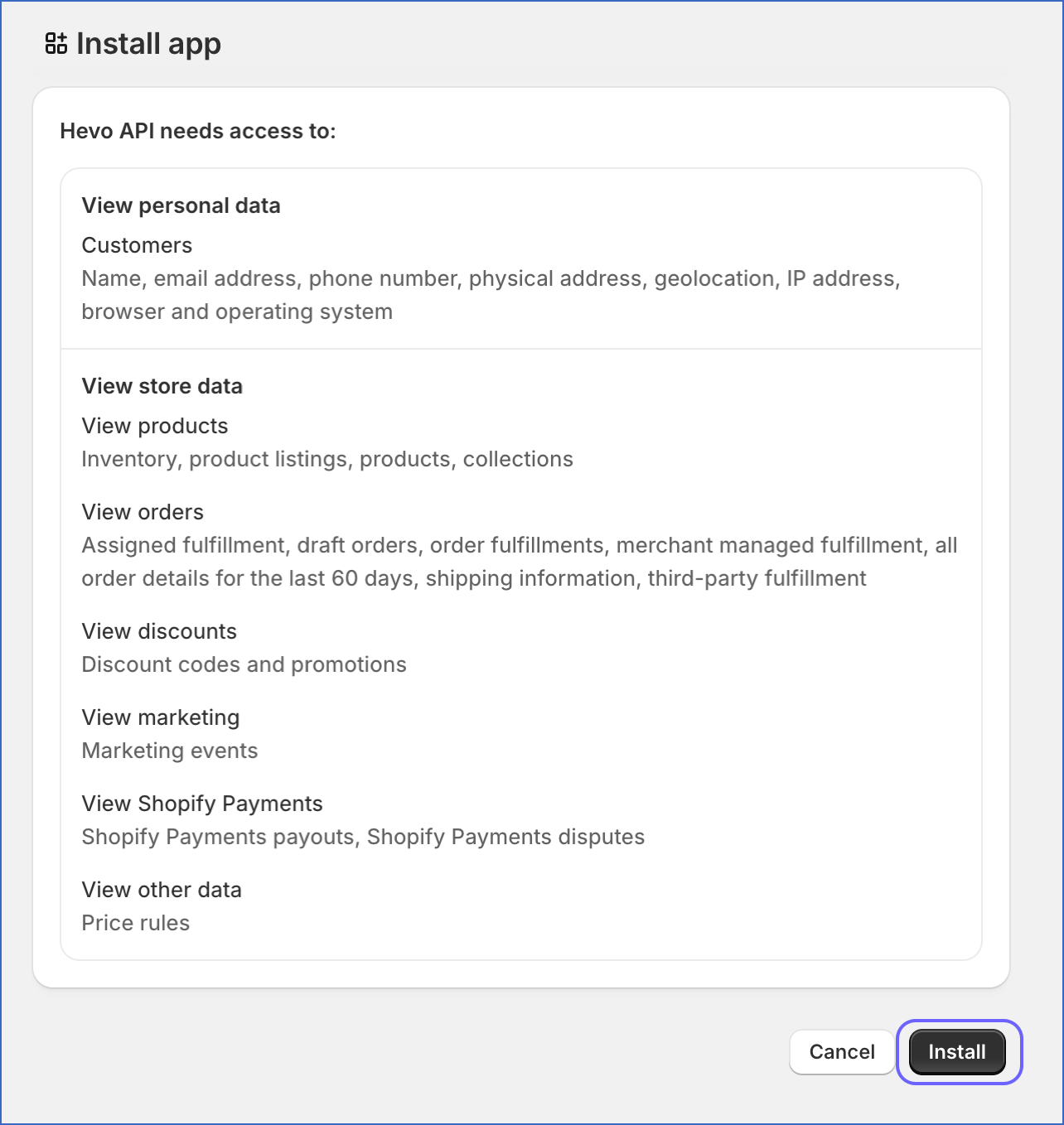
Once the app is installed in your Shopify store, you can proceed to obtain the app credentials in the next step.
Obtain Client ID and Secret
To allow Hevo to authenticate and read data from your custom app, you need to obtain the Client ID and the Client Secret. To do this:
-
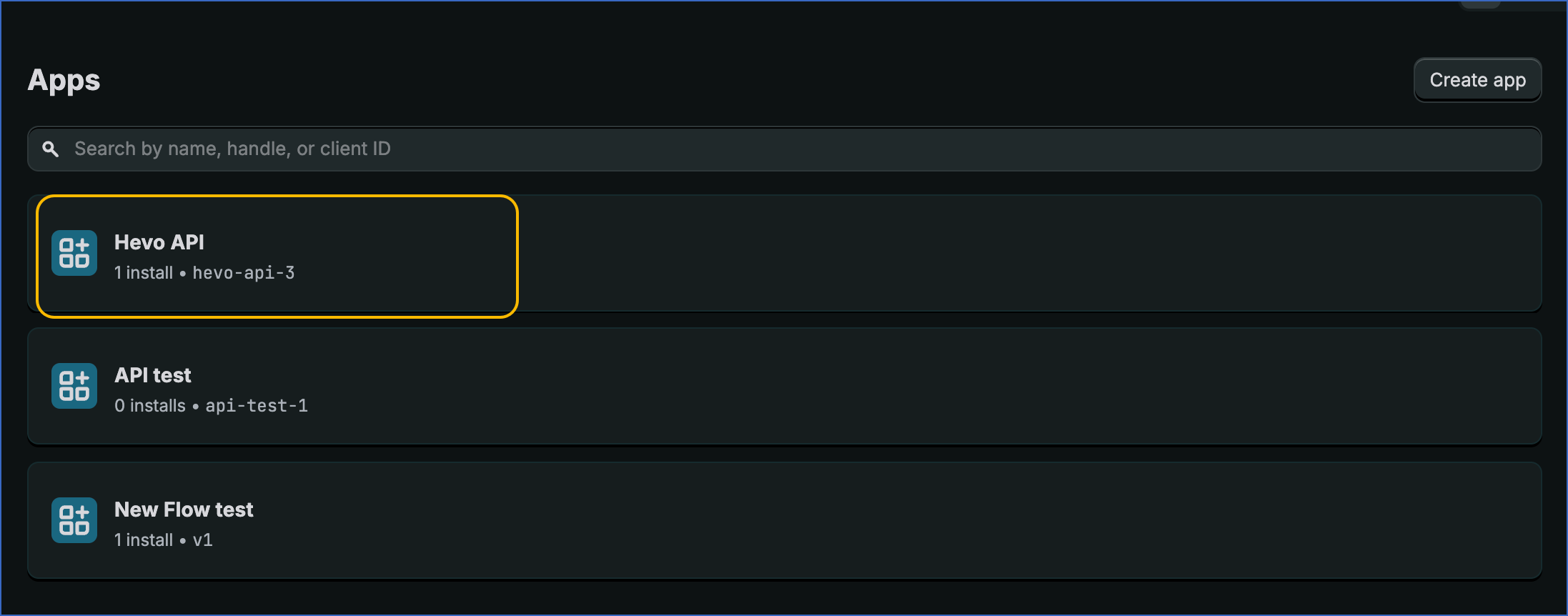
On the Apps page, click the app you created in the step above.
-
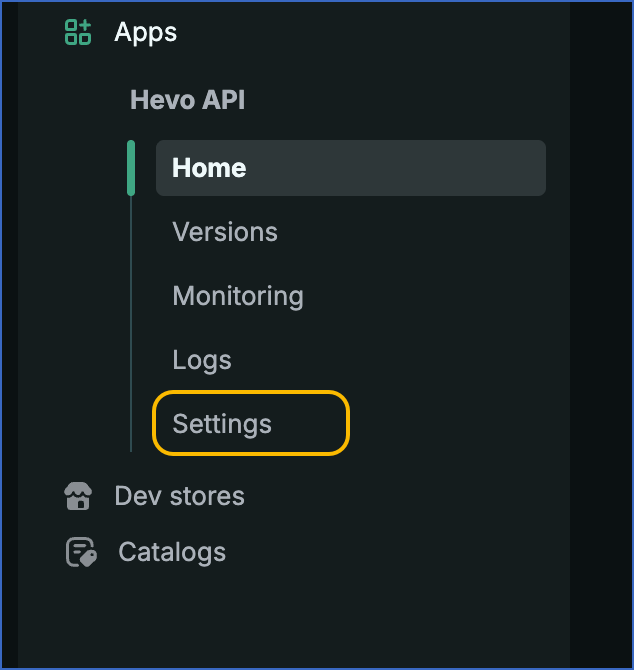
In the left navigation pane, click Settings.
-
Under the Credentials section, copy the Client ID and Secret and save them securely like any other password.
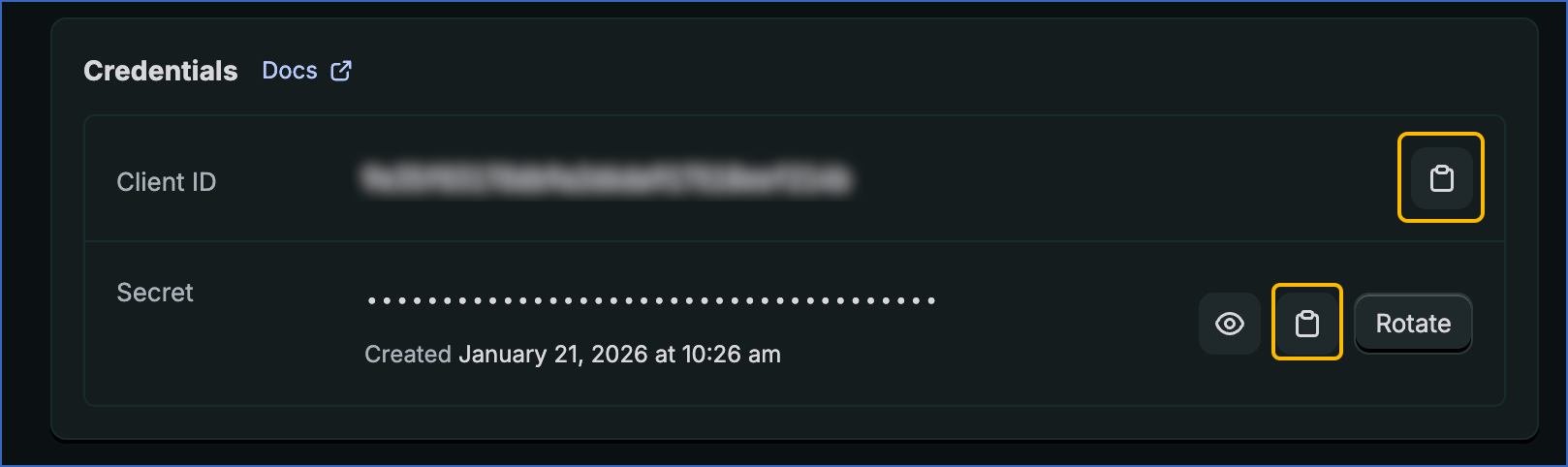
You can use these credentials while configuring your Hevo Pipeline.
Configure Shopify as a Source in your Pipeline
Perform the following steps to configure your Shopify Source:
-
Click Pipelines in the Navigation Bar.
-
Click + Create Pipeline in the Pipelines List View.
-
On the Select Source Type page, select Shopify.
-
On the Select Destination Type page, select the type of Destination you want to use.
-
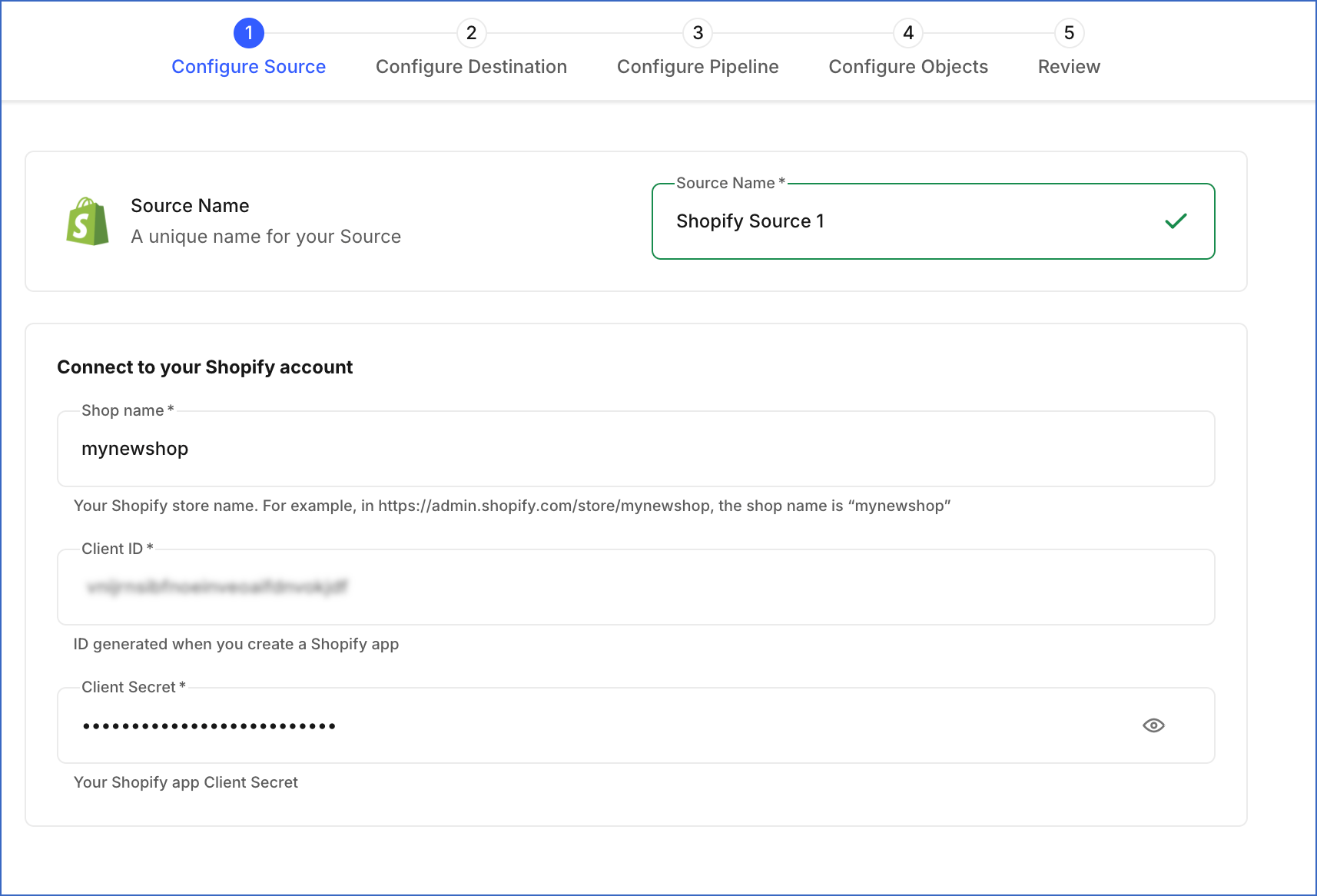
In the Configure Source screen, specify the following:
-
Source Name: A unique name for your Source, not exceeding 255 characters. For example, Shopify Source.
-
In the Connect to your Shopify account section, specify the following:
-
Shop name: Your shop name. You can find this in the address bar when logged into your shop. For example, in the URL https://admin.shopify.com/store/mynewshop, the shop name is mynewshop.
-
Client ID: The client ID that you retrieved in the Obtain Client ID and Secret step.
-
Client Secret: The secret that you retrieved in the Obtain Client ID and Secret step.
-
-
-
Click Test & Continue to test the connection to your Shopify Source. Once the test is successful, you can proceed to set up your Destination.
Data Replication
When you create a Pipeline, Hevo replicates data for all the objects selected on the Configure Objects page during Pipeline creation. By default, all supported objects and their available fields are selected. However, you can change which objects and fields are included while creating or editing the Pipeline.
Note:
-
This Source supports only the Merge load mode. The Append mode is not supported.
-
By default, Shopify APIs return only the last 60 days of order data. To access orders older than 60 days, you must enable the read_all_orders scope.
When you select a parent object, all its associated child objects are automatically included for replication. Child objects cannot be selected or deselected individually.
Hevo ingests the following types of data from your Source objects:
-
Historical Data: The first run of the Pipeline ingests all available historical data for the selected objects and loads it into the Destination.
-
Incremental Data: Once the historical load is complete, new and updated records for objects are ingested as per the sync frequency
Hevo supports incremental ingestion for Shopify objects that expose the updatedAt timestamp field. For these objects, Hevo uses timestamp-based filtering to fetch only new or updated records during each Pipeline run.
The following objects support incremental ingestion:
- abandoned_checkout
- collection
- company
- company_location
- customer
- draft_order
- fulfillment_order
- inventory_item
- order
- product
Note: For the objects listed above, their associated child objects are also ingested incrementally. For each sync, the complete dataset for the child objects associated with the fetched parent records is retrieved.
For all other objects not listed above, Hevo ingests the entire data during each Pipeline run.
Schema and Primary Keys
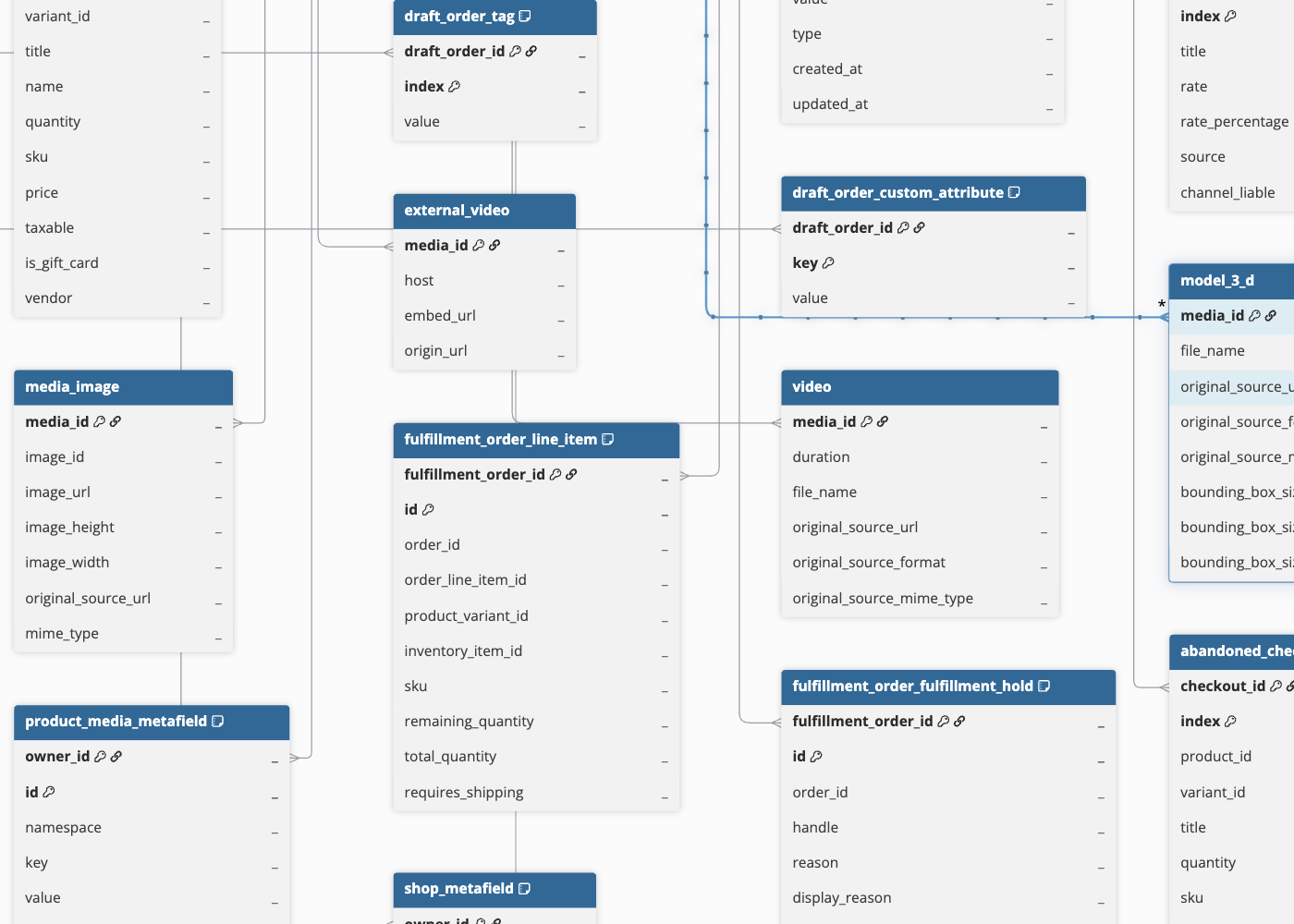
Hevo uses the following schema to upload the records in the Destination. For a detailed view of the objects, fields, and relationships, click the Entity-Relationship Diagram (ERD). The ERD shows how the different Shopify objects are structured and linked to each other in your Destination.
Data Model
The following is the list of key parent objects created at the Destination when you run the Pipeline. Each parent object includes associated child objects that are replicated together.
| Object | Description |
|---|---|
| abandoned_checkout | Contains details of incomplete checkout sessions, including items added to cart, applied discounts, and taxes. |
| balance_transaction | Contains financial transaction details related to payouts and adjustments. |
| catalog | Contains catalog data used to organize products across different sales channels or business contexts. |
| collection | Contains product collections, including manual and automated groupings of products. |
| company | Contains company-level information for B2B customers. |
| company_location | Contains location details associated with a company, including tax settings and catalog mappings. |
| customer | Contains customer profiles, including contact details, addresses, and tags. |
| draft_order | Contains orders created but not yet completed or finalized. |
| fulfillment_order | Contains fulfillment requests associated with orders, including tracking and processing details. |
| inventory_item | Contains inventory details linked to product variants, including tracking and cost information. |
| order | Contains order details including items, pricing, discounts, fulfillment, and payment information. Each order represents a transaction and may include multiple related records such as line items, fulfillments, and refunds. |
| product | Contains product details including variants, pricing, options, tags, and associated media. |
| publication | Contains information about product availability across different sales channels. |
| shop | Contains store-level metadata such as settings, currency, and configurations. |
Note:
-
Some objects require specific API scopes to be accessible. If the required scope is not granted in your custom app, those objects are automatically excluded from replication. To resolve this, update the scopes in your custom app and reinstall the app.
-
The gift_card, user, sales_agreement, sale, sale_tax, company, and company_location objects are available only on Shopify Plus accounts. These objects are excluded if the required access is not available for your store.
Additional Information
Read the detailed Hevo documentation for the following related topics:
- Configure Webhooks for Capturing Delete Events
- Handling of Deletes
- Source Considerations
- Limitations
Configure Webhooks for Capturing Delete Events
Shopify does not provide a direct API to retrieve deleted records. To capture delete events, Hevo relies on Shopify webhooks. You must configure these webhooks in your Shopify store using the webhook URL generated for your Pipeline.
Once configured, whenever records are deleted in Shopify, Hevo captures the event and marks the corresponding records in the Destination with the metadata column __hevo__marked_deleted = true. The record is not removed from your Destination. It is retained and flagged so you can identify deleted records in your data. This update is applied during the next incremental sync.
Perform the following steps to configure webhooks for capturing delete events:
Obtain the Webhook URL for your Pipeline
Hevo generates a unique webhook URL for each Pipeline. You will need this URL when configuring webhooks in Shopify. Perform the following steps to obtain the webhook URL:
-
In the Pipeline’s toolbar, click Pipeline Setup.

-
Scroll down to the Configure Pipeline section and copy the URL displayed in the Webhook URL field.

Create Webhooks in your Shopify Store
Perform the following steps to create webhooks in your Shopify store:
-
Log in to your Shopify Store Admin account.
-
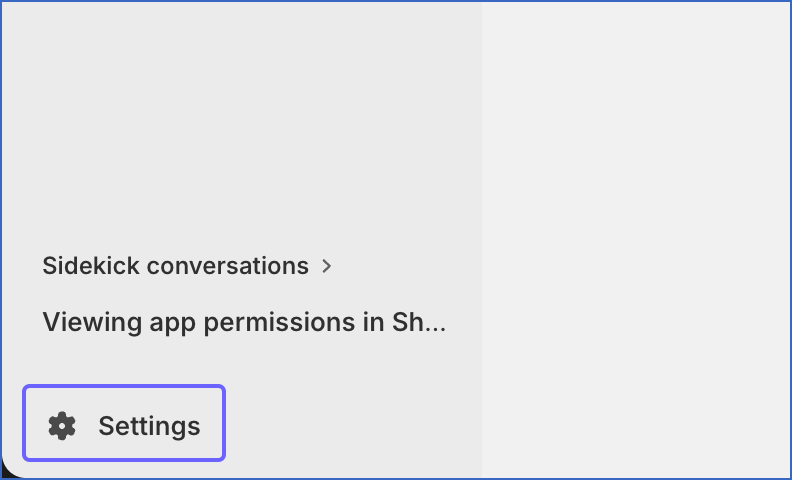
In the bottom left corner of the page, click Settings.
-
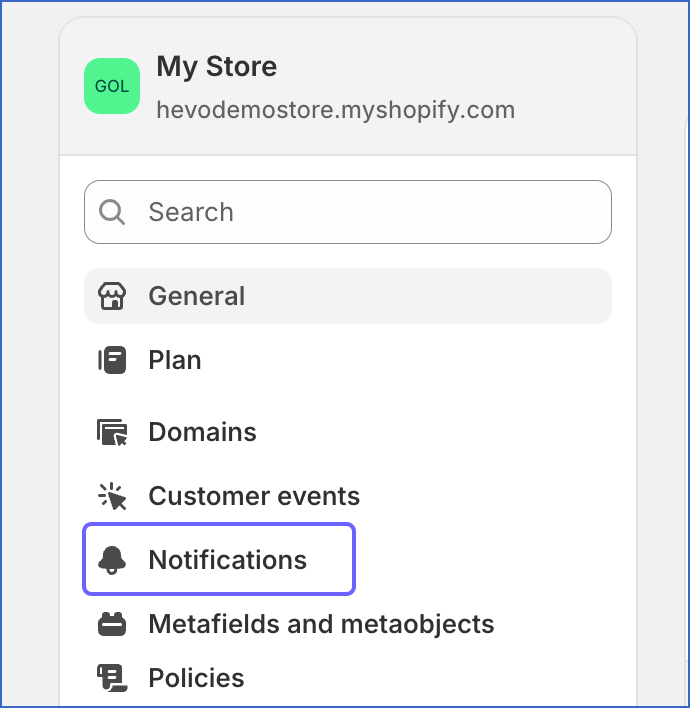
In the left navigation pane, click Notifications.
-
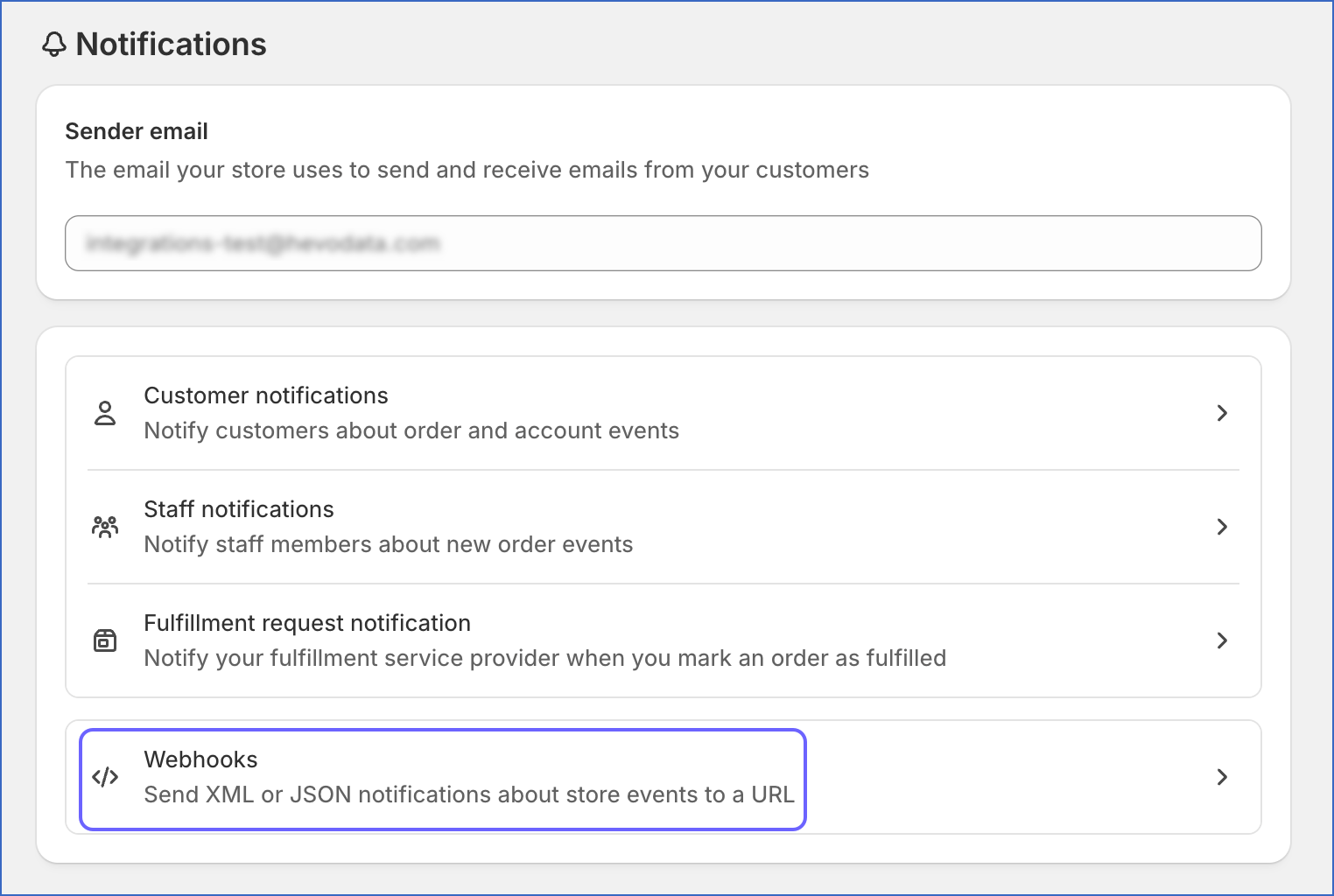
On the Notifications page, click Webhooks.
-
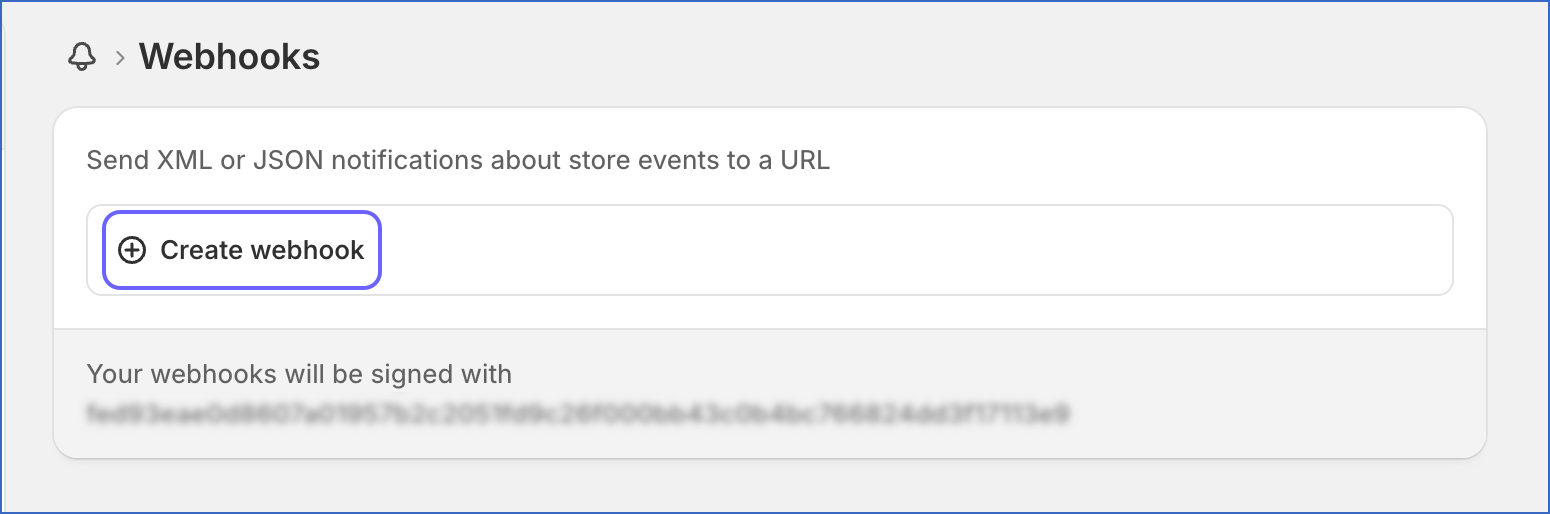
Click Create webhook.
-
In the pop-up dialog, specify the following:
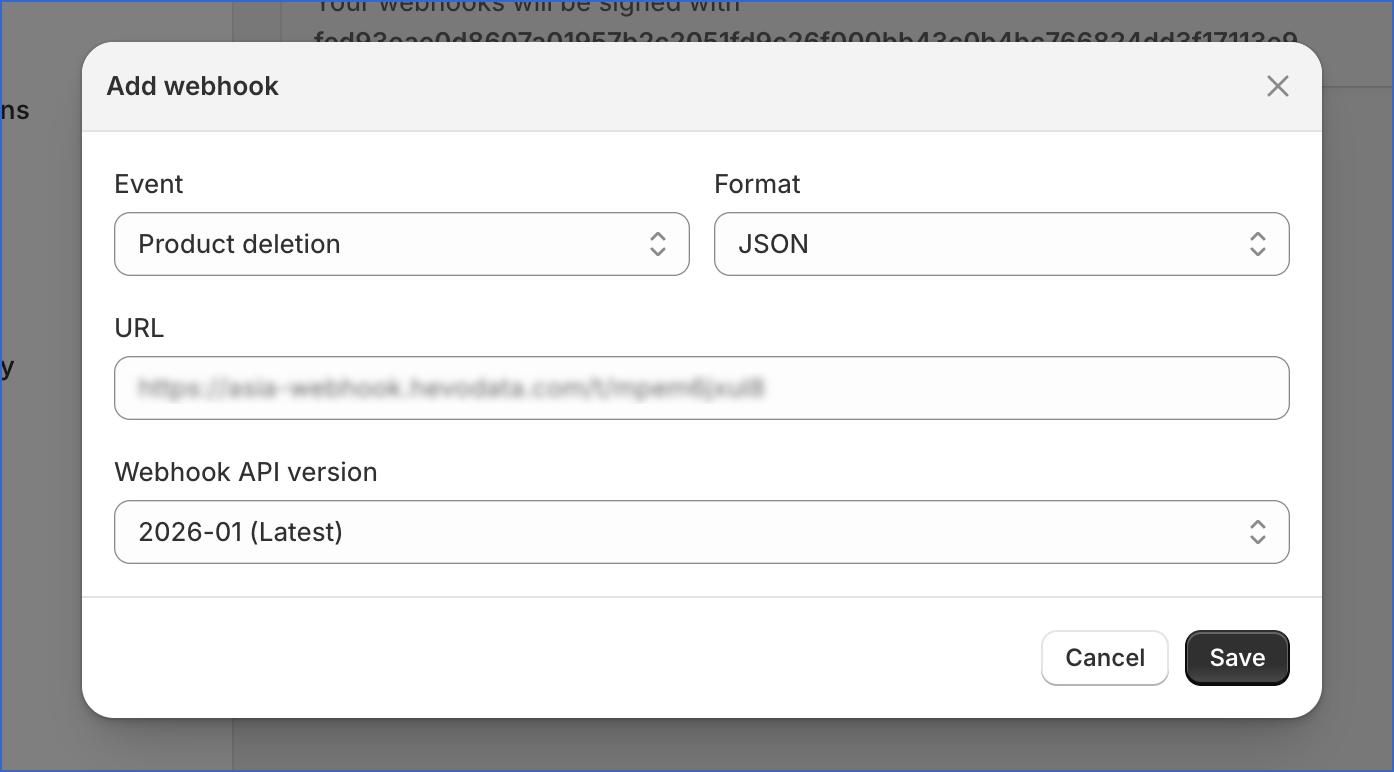
- Event: Select the required delete event (see list below).
- Format: JSON
- URL: Paste the webhook URL obtained from your Hevo Pipeline.
- Webhook API version: Select your preferred webhook version.
-
Click Save.
Repeat these steps to create webhooks for all required delete events. You must configure webhooks for the following delete events to ensure complete delete capture:
- Checkout deletion
- Collection deletion
- Companies deletion
- Company contacts deletion
- Customer deletion
- Customer segment deletion
- Draft order deletion
- Fulfillment events deletion
- Inventory items deletion
- Order deletion
- Product deletion
Note: If you have configured additional webhook topics, Shopify may send extra events to the webhook URL. These events are ignored by Hevo and do not affect data ingestion.
Handling of Deletes
Shopify’s GraphQL API does not provide a direct method to retrieve deleted records. If you have configured additional webhooks, Hevo handles deletes differently depending on the object type, using one of two approaches described below:
Approach 1: Webhook-based delete capture (selected objects)
For the parent objects listed below, Hevo captures delete events using Shopify webhooks. When a record is deleted in Shopify, Hevo marks the corresponding record in your Destination with the metadata column __hevo__marked_deleted = true during the next incremental sync. The record is retained in your Destination and flagged rather than removed.
To enable this, you must configure webhook subscriptions for the required delete events in your Shopify store using the webhook URL generated for your Pipeline. See Configure Webhooks for Capturing Delete Events for setup instructions.
- checkout
- collection
- company
- company_contact
- customer_segment
- customer
- draft_order
- fulfillment_event
- inventory_items
- order
- product
Approach 2: Full dataset reload (all other objects)
For objects not listed above, Hevo reloads the complete dataset from Shopify on every Pipeline run. Records present in your Destination that are not returned in the latest API response are automatically marked with __hevo__marked_deleted = true. No webhook configuration is required for these objects.
Note: Child objects do not support delete capture through either approach. As the child object tables are fully reloaded on every sync, any deleted child records are automatically removed from the Destination in the next Pipeline run.
Source Considerations
-
Hevo replicates metafields as child tables for the following objects:
- collection
- customer
- draft_order
- order
- product
- product_image
- product_variant
- shop
Since metafields can significantly increase data volume for high-volume objects such as product or order, enable metafield child objects only if your use case specifically requires this data.
-
Updates made directly to child objects in Shopify do not always update the parent object’s
updated_attimestamp. As a result, incremental syncs, which rely on the parent object’s timestamp, may not capture certain child object updates. If data accuracy for child objects is critical for your use case, you can resync the objects when required.
Limitations
-
Certain Shopify child objects can be associated with multiple parent record types, where the exact parent type varies per record. For example, a discount_customer_buys_product child object could belong to either a discount_automatic_bxgy or a discount_code_bxgy parent, depending on the record. Since Hevo requires a fixed parent-child mapping, this child objects cannot be ingested. Currently, Hevo supports only fixed parent-child relationships, where each child object maps to a single, well-defined parent table. As a result, child objects that require association with multiple possible parent types are not supported for ingestion.
Note: The parent objects themselves are fully supported and ingested.
The following table lists the affected child objects along with the possible parent types they depend on:
Parent Objects Unsupported Child Objects - discount_automatic_basic
- discount_automatic_bxgy
- discount_code_basic
- discount_code_bxgy- discount_customer_buys_collection
- discount_customer_buys_product
- discount_customer_buys_product_variant
- discount_customer_gets_collection
- discount_customer_gets_product
- discount_customer_gets_product_variant- discount_code_app
- discount_code_bxgy
- discount_code_basic
- discount_code_free_shipping- discount_customer_segment_selection
- discount_customer_selection
- discount_redeem_code
- discount_shareable_url- discount_automatic_free_shipping
- discount_code_free_shipping- discount_destination_selection_country
Revision History
Refer to the following table for the list of key updates made to this page:
| Date | Release | Description of Change |
|---|---|---|
| Mar-31-2026 | NA | New document. |