On This Page
Facebook Pages is Meta’s platform that lets businesses, brands, and public figures create a public presence, publish posts, and engage with their audiences. Pages provide tools such as post publishing, engagement tracking, and Page and post-level insights that help businesses understand how their audience is growing and interacting with their content.
Hevo uses Meta’s Graph API to replicate data from your Facebook Pages account to the Destination of your choice.
Hevo supports the following authentication methods to connect to your Facebook Pages account:
-
Grant User Access: Allows Hevo to connect to your account through an authorization flow, where you sign in to Facebook and grant Hevo access to your Page data.
-
Use System User Token: Allows Hevo to connect to your account using a system user access token that you generate in Meta Business Manager.
-
OAuth app: Allows Hevo to connect to your account using the App ID, App Secret, and long-lived access token of a Meta app that you create in your developer account.
Note: To create a Pipeline with Facebook Pages as the Source using an OAuth app, you must use the Create a Pipeline endpoint through the Hevo API. This method is not available in the Hevo UI. Read Creating a Pipeline with Hevo API for the steps to create the Pipeline.
Supported Features
| Feature Name | Supported |
|---|---|
| Capture deletes | No |
| History mode | No |
| Custom data (user-configured tables & fields) | No |
| Data blocking (skip objects and fields) | Yes |
| Resync (objects and Pipelines) | Yes |
| API configurable | Yes |
Prerequisites
-
An active Facebook account from which data is to be ingested.
-
You have Admin access to the Facebook Page or Meta Business Manager to generate a system user access token.
-
The system user access token is available and has the required permissions to provide Hevo access to your Facebook Pages data.
Obtain the System User Access Token
A system user access token allows Hevo to access your Facebook Pages account without requiring OAuth authorization. Generate a system user access token in Meta Business Manager and ensure it has the required permissions for the Pages you want to sync.
Use this token when configuring your Facebook Pages Source in Hevo. If the system user access token configured in the Pipeline is revoked in Meta Business Manager, Hevo cannot authenticate with the Source. As a result, all active jobs for the Pipeline fail, and no data is replicated until the authentication issue is resolved. To resume data replication, modify the Source configuration in the Pipeline with a valid system user access token. Once the updated token is saved, Hevo re-authenticates the Source, and data ingestion resumes from the last saved offset.
Configure Facebook Pages as a Source in your Pipeline
Perform the following steps to configure your Facebook Pages Source:
-
Click Pipelines in the Navigation Bar.
-
Click + Create Pipeline in the Pipelines List View.
-
On the Select Source Type page, select Facebook Pages.
-
On the Select Destination Type page, select the type of Destination you want to use.
-
On the Select Pipeline Type page, click Edge, and then click Continue.
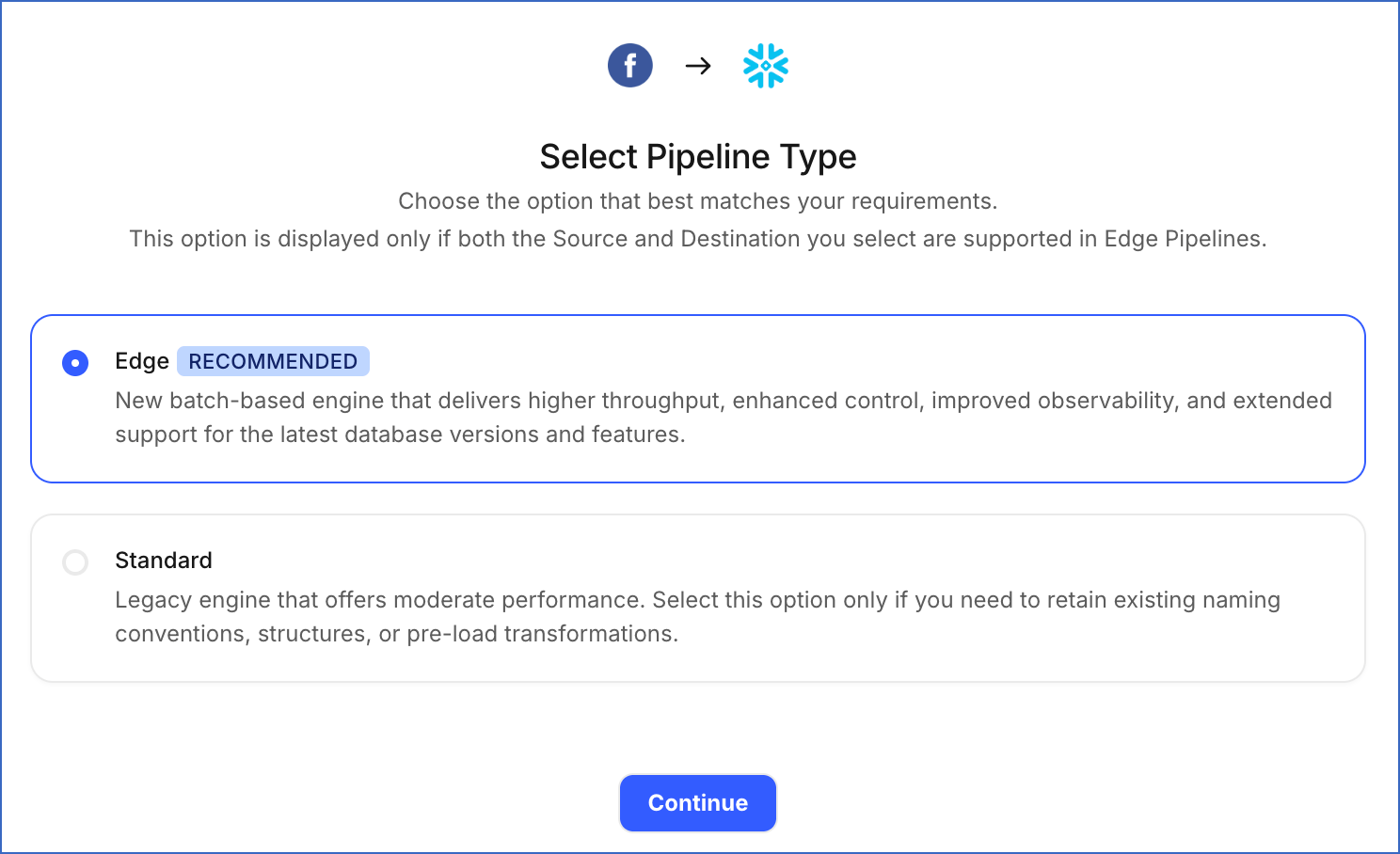
This page appears only if the selected Destination type is supported in Edge and your Team has an existing Facebook Pages Pipeline with the same Destination type. Otherwise, you can proceed to create an Edge Pipeline.
-
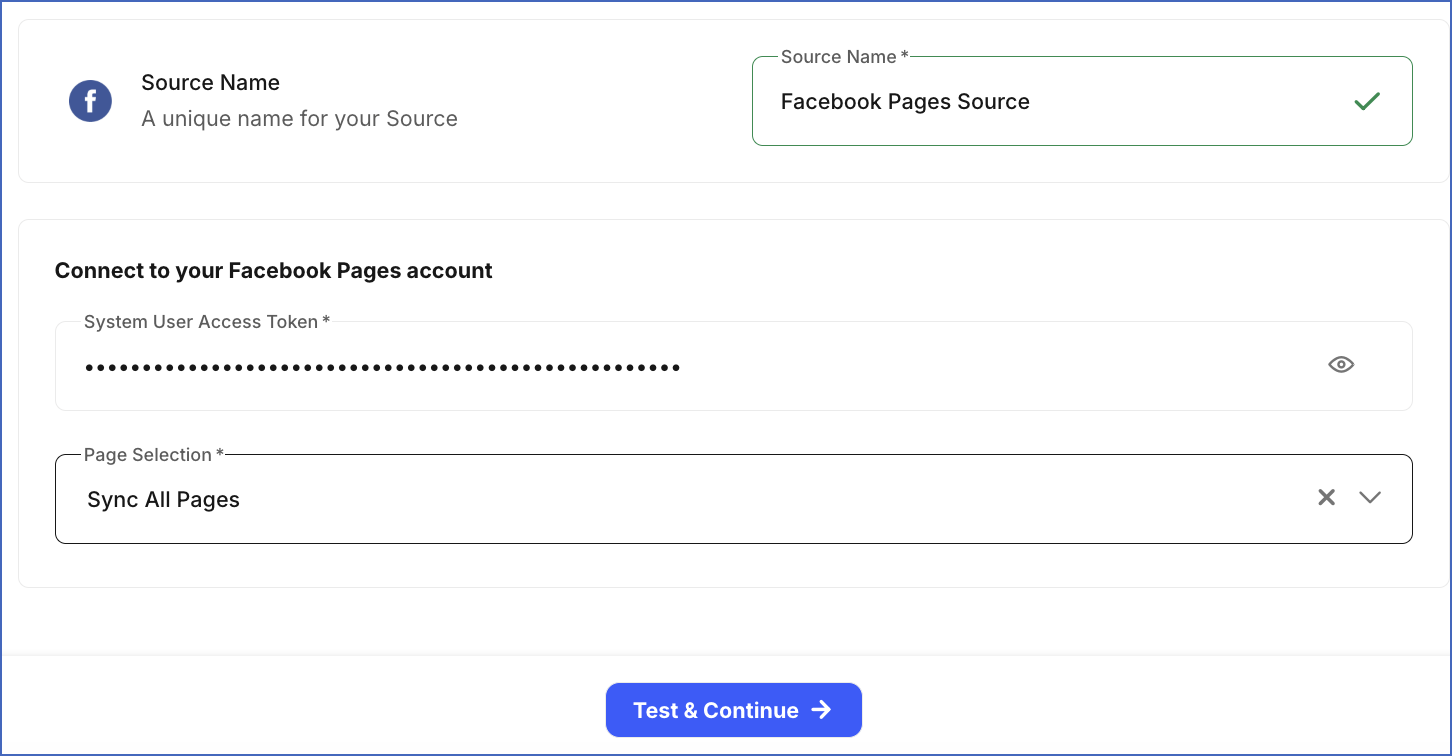
In the Configure Source screen, specify the following:
-
Source Name: A unique name for your Source, not exceeding 255 characters. For example, Facebook Pages Source.
-
System User Access Token: Specify the system user access token generated in Meta Business Manager.
-
Page Selection: From the drop-down, select whether to sync all Pages accessible through your authentication method or only specific pages. Default value: Sync All Pages.
-
Sync All Pages: Hevo syncs data for all Facebook Pages accessible through your authorized account, including any Pages added later.
-
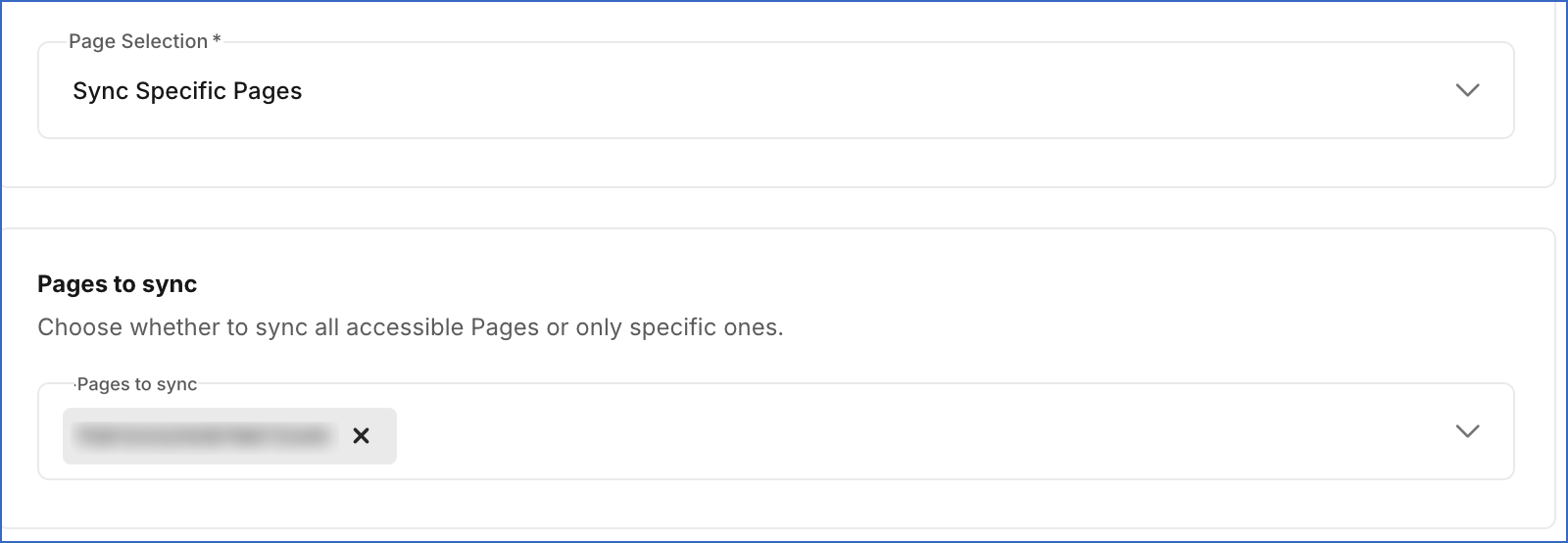
Sync Specific Pages: Select the Pages you want to sync from the Pages to sync drop-down.
-
-
-
Click Test & Continue to test the connection to your Facebook Pages Source. Once the test is successful, you can proceed to set up your Destination.
Configure Facebook Pages as a Source Using the Hevo API
You can connect Hevo to your Facebook Pages account with an OAuth app created in your developer account. This method is available only through the Hevo API. Specify the credentials of the app in the request that creates the Pipeline, and Hevo uses them to authenticate with your account.
The following credentials from your OAuth app are required to authenticate the connection:
-
Client ID: The App ID of your Meta app. Meta displays it on the app dashboard, and names it App ID in the UI and
client_idin the API. -
Client Secret: The App Secret of your Meta app. Hevo sends it with the App ID to authenticate the request. Meta names it App Secret in the UI and
client_secretin the API. -
Access Token: A long-lived user access token that your app receives when a Facebook user authorizes it. Meta issues no refresh token for this flow, so Hevo uses the long-lived token and renews it from Meta.
Create the app in your Meta developer account and grant it the permissions required for the Pages you want to replicate. Read Create an app with Meta for the steps to create the app, and Get a long-lived user access token for the steps to exchange a short-lived token for the long-lived one.
Grant the app the following permissions:
| Permission | Allows Hevo to |
|---|---|
pages_show_list |
List the Pages that you manage. Hevo checks for this permission when it tests the connection. |
pages_read_engagement |
Read the details, posts, Reels, and videos of your Pages. |
pages_read_user_content |
Read the comments on your Page posts, which Hevo replicates in the Post Comment object. |
read_insights |
Read the performance metrics of your Pages, posts, and Reels, which Hevo replicates in the metrics objects. |
business_management |
Access the Pages that your business owns in Meta Business Manager. |
Prepare the Source Configuration
Before you build your request, retrieve the settings that the Facebook Pages connector currently accepts. Refer to Read the Connector Configuration for the steps to retrieve them.
In the response, the auth object describes the credentials of your own OAuth app. In the connector configuration response, Hevo returns the auth object under data.schema.properties.auth, and the connector settings under data.schema.properties.config. Only a connector that accepts an OAuth app has an auth property. Each credential carries "type": "string". Every credential except client_id also carries "format": "password" and "writeOnly": true. The following example shows part of the auth object:
{
  "auth": {
    "required": [
      "client_access"
    ],
    "properties": {
      "client_access": {
        "required": [
          "client_id",
          "client_secret"
        ],
        "properties": {
          "client_id": {
            "title": "Client ID"
          },
          "client_secret": {
            "title": "Client Secret"
          }
        }
      },
      "refresh_token": {
        "title": "Refresh Token"
      },
      "access_token": {
        "title": "Access Token"
      }
    },
    "anyOf": [
      {
        "required": [
          "refresh_token"
        ]
      },
      {
        "required": [
          "access_token"
        ]
      }
    ]
  }
}
Leave config.auth_method blank, or set it to GRANT_USER_ACCESS. To sync only some Pages, set config.sync_mode to SPECIFIC_PAGES and list the Page IDs as strings in config.selected_pages, such as ["123456789012345"]. With SPECIFIC_PAGES and an empty list, Hevo syncs every Page. A Page that your token cannot access is skipped with a warning, and the Source fails only when none of the Pages you selected can be accessed.
Specify the credentials of your app in the auth object. Use sync_mode to control which Pages Hevo replicates. Specify ALL_PAGES to replicate every Page your app can access, or SPECIFIC_PAGES to choose them yourself. Default value: ALL_PAGES. The following example shows the source object for a Facebook Pages Source:
{
  "name": "<source_name>",
  "connector_id": "facebook_pages",
  "type": "FACEBOOK_PAGES",
  "config": {
    "sync_mode": "ALL_PAGES"
  },
  "auth": {
    "client_access": {
      "client_id": "<client_id>",
      "client_secret": "<client_secret>"
    },
    "access_token": "<access_token>"
  }
}
Note: Replace the placeholder values in the example with your own. For example, <source_name> with My Facebook Pages Account.
Specify this source object in the request that creates your Pipeline. Read Creating a Pipeline with Hevo API for the complete request and the remaining steps.
Hevo validates the credentials and tests the Source and Destination connections before it saves anything. To test the Source connection, Hevo uses the credentials in the auth object to generate an access token. If a credential is rejected or a test fails, the request returns an error, and no Pipeline is created. Hevo also deletes the access token that it generated.
Note: Hevo does not store these credentials in the Source configuration. It exchanges them for an authorization when the Pipeline is created, so the Source is set up without a browser sign-in. Hevo does not return them if you retrieve the Source configuration later. If you revoke the credentials in Meta, Hevo cannot authenticate with the Source. As a result, all active jobs for the Pipeline fail, and no data is replicated. To resume data replication, send the new credentials using the Modify Source Configuration in a Pipeline endpoint. Read Modifying the Source Configuration for the steps to send them.
Data Replication
Hevo replicates data for all the objects selected on the Configure Objects page during Pipeline creation. By default, all supported objects and their available fields are selected. However, you can modify this selection while creating or editing the Pipeline.
Hevo ingests the following types of data from your Source objects:
-
Historical Data: The first run of the Pipeline ingests all available historical data for the selected objects and loads it into the Destination.
-
Incremental Data: Once the historical load is complete, new and updated records for objects are ingested as per the sync frequency.
For the following objects, Hevo ingests only the incremental data in subsequent Pipeline runs:
- Daily Page Metrics by City
- Daily Page Metrics by Country
- Daily Page Metrics by Paid Non Paid
- Daily Page Metrics by Paid Organic
- Daily Page Metrics
- Daily Page Metrics by Crosspost Status
- Daily Page Metrics by Earning Source
- Daily Page Metrics by Monetization Tool
- Daily Page Monetization Metrics
- Daily Post Metrics by Locale
- Daily Post Metrics
- Daily Post Metrics by Monetization Tool
- Daily Post Monetization Metrics
- Unique Daily Page Metrics by Paid Non Paid
- Unique Daily Page Metrics
- Unique Daily Post Metrics
Hevo also re-fetches data for the last 5 days for these objects every 24 hours. This captures any updates made to previously ingested data and keeps your Destination up to date.
For all other objects, Hevo ingests the entire data during each Pipeline run.
Facebook enforces a rate limit on the number of calls that can be made to its API in a given time period. If this limit is exceeded, a rate limit exception occurs. To understand how Hevo handles such scenarios, read Handling Rate Limit Exceptions.
Note: You can create a Pipeline with this Source only using the Merge load mode. The Append mode is not supported for this Source.
Schema and Primary Keys
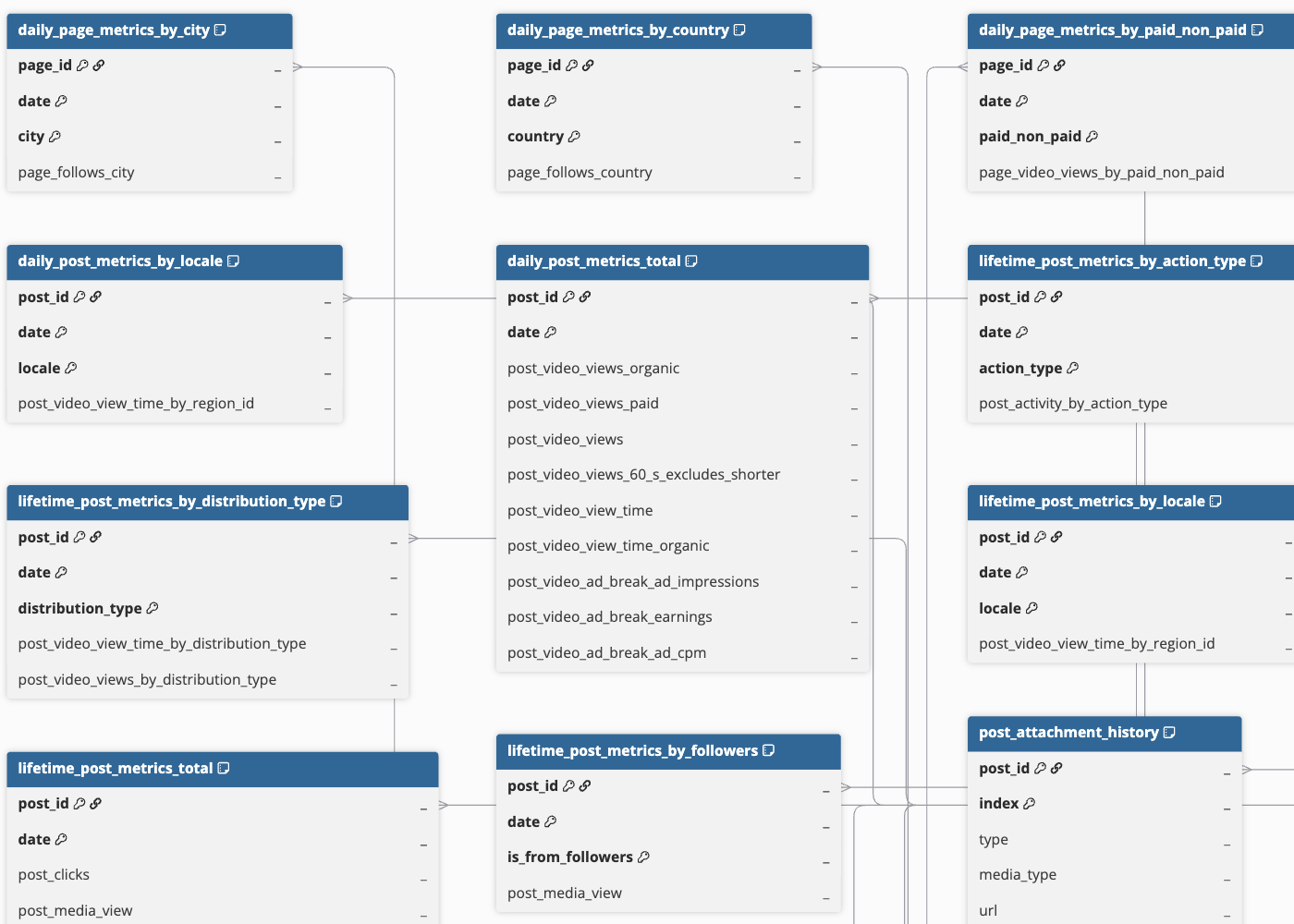
Hevo uses the following schema to replicate the records to the Destination. For a detailed view of the objects, fields, and relationships, click the ERD.
Data Model
The following tables (objects) are created at the Destination when you run the Pipeline:
| Object | Description |
|---|---|
| Daily Page Metrics | Contains daily performance metrics for a Facebook page, including media views, post engagements, follows, and reaction counts by type. It includes the following child objects: - Unique Daily Page Metrics - Daily Page Metrics by Paid Non Paid - Unique Daily Page Metrics by Paid Non Paid - Daily Page Metrics by Paid Organic - Daily Page Metrics by City - Daily Page Metrics by Country |
| Daily Page Monetization Metrics | Contains earnings metrics for a Facebook page, recorded for each day, such as the estimated amount earned and the value and currency of payments received for content. It includes the following child objects: - Daily Page Metrics by Earning Source - Daily Page Metrics by Crosspost Status - Daily Page Metrics by Monetization Tool |
| Daily Post Metrics | Contains daily post metrics for video content published on a Facebook page, such as organic and paid views, watch time, and ad break performance. It includes the following child objects: - Unique Daily Post Metrics - Daily Post Metrics by Locale |
| Daily Post Monetization Metrics | Contains earnings metrics for the content published on a Facebook page, recorded for each day, such as the estimated amount earned and the value and currency of payments received for that content. It includes a child object, Daily Post Metrics by Monetization Tool. |
| Lifetime Post Metrics | Contains all-time performance metrics for content published on a Facebook page, such as clicks, media views, reactions by type, and video watch and completion metrics. It includes the following child objects: - Unique Lifetime Post Metrics - Lifetime Post Metrics by Action Type - Unique Lifetime Post Metrics by Action Type - Lifetime Post Metrics by Type - Lifetime Post Metrics by Video Interval - Lifetime Post Metrics by Country - Lifetime Post Metrics by Locale - Lifetime Post Metrics by Age and Gender - Lifetime Post Metrics by Distribution Type - Lifetime Post Metrics by Followers - Lifetime Post Metrics by Paid Organic |
| Lifetime Post Monetization Metrics | Contains all-time earnings metrics for content published on a Facebook page, such as the estimated amount earned and the value and currency of payments received for that content. It includes a child object, Lifetime Post Metrics by Monetization Tool. |
| Lifetime Reel Metrics | Contains all-time performance metrics for Reels published on a Facebook page, such as play counts, average time watched, and view time. It includes a child object, Lifetime Reel Metrics by Type. |
| Page | Contains details about a Facebook page, such as its name, category, contact information, follower and fan counts, and publishing status. |
| Page Video | Contains details about videos published on a Facebook page, such as the title, description, format, privacy settings, publish and update timestamps, and view counts. It includes a child object, Page Video Thumbnail. |
| Post | Contains details of the content published on a Facebook page, such as the message, permalink, publish and update timestamps, visibility status, and share count. It includes the following child objects: - Post Attachment - Post Tagged Profile - Post Video Property |
| Post Comment | Contains details of comments on content published on a Facebook page, such as the comment message, like and reply counts, attachment details, and the actions the commenter can perform. |
| Reel | Contains details about Reels published on a Facebook page, such as the title, description, content category and tags, publish and update timestamps, permalink, and processing status. |
Additional Information
Read the detailed Hevo documentation for the following related topics:
Source Considerations
-
Page insights data is available only for Pages with at least 100 likes.
-
Facebook retains Page and Post Insights metric data for up to two years. Historical data older than this period is not available for ingestion.
Revision History
Refer to the following table for the list of key updates made to this page:
| Date | Release | Description of Change |
|---|---|---|
| Oct-19-2026 | 2.54 | Added section, Configure Facebook Pages as a Source Using the Hevo API. |
| Sep-25-2026 | NA | Updated section, Data Model to add information about new objects. |
| Sep-18-2026 | NA | New document. |