On This Page
Zendesk Support is a cloud-based customer service and support ticketing platform that helps businesses manage customer interactions across email, chat, voice, and social channels. It enables support teams to track, prioritize, and resolve customer issues through tickets, while also providing tools for self-service knowledge bases, automation of repetitive workflows, and reporting on support operations.
Hevo uses the Zendesk REST API to replicate data from your Zendesk Support account to the Destination of your choice. To ingest data, you must authorize Hevo to access your account using Open Authorization (OAuth) 2.0.
Supported Features
| Feature Name | Supported |
|---|---|
| Capture deletes | Yes (for specific objects) |
| History mode | Yes (for the group_sla_policy_history and group_sla_policy_metric_history objects) |
| Custom data (user-configured tables & fields) | Yes (for the ticket, user, and organization objects, which include custom fields) |
| Data blocking (skip objects and fields) | Yes |
| Resync (objects and Pipelines) | Yes (for parent objects) |
| API configurable | No |
Prerequisites
-
An active Zendesk Support account exists from which data is to be ingested.
-
You must be logged in as an Administrator in your Zendesk Support account.
Configure Zendesk Support as a Source in your Pipeline
Perform the following steps to configure your Zendesk Support Source:
-
Click Pipelines in the Navigation Bar.
-
Click + Create Pipeline in the Pipelines List View.
-
On the Select Source Type page, select Zendesk Support.
-
On the Select Destination Type page, select the type of Destination you want to use.
-
On the Select Pipeline Type page, click Edge, and then click Continue.

This page appears only if the selected Destination type is supported in Edge and your Team has an existing Zendesk Support Pipeline with the same Destination type. Otherwise, you can proceed to create an Edge Pipeline.
-
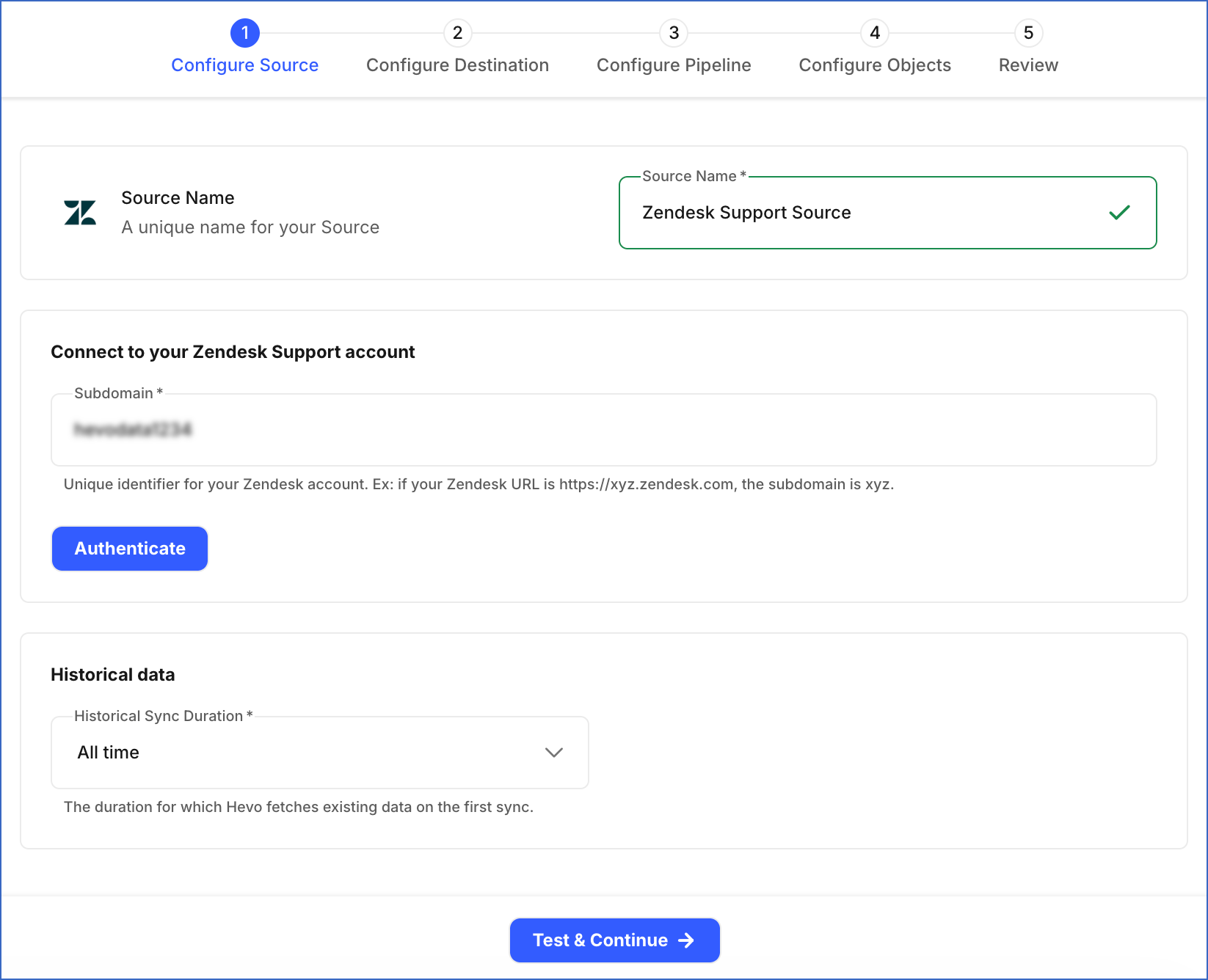
In the Configure Source screen, specify the following:
-
Source Name: A unique name for your Source, not exceeding 255 characters. For example, Zendesk Support Source.
-
In the Connect to your Zendesk Support account section:
-
Subdomain: The unique identifier for your Zendesk Support account. For example, if your Zendesk URL is https://xyz.zendesk.com, the subdomain is xyz.
-
Click Authenticate and perform the following steps to allow Hevo to connect to your account:
-
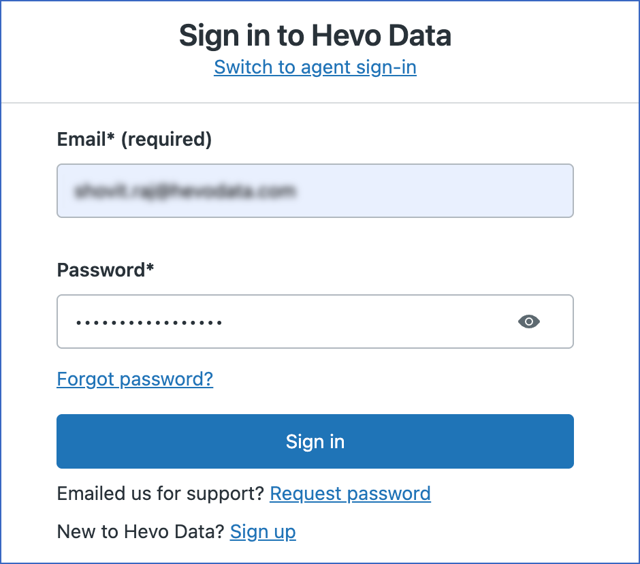
If you are not already signed in to your Zendesk Support account, sign in as a user with the Administrator role when prompted. Otherwise, proceed to step 2.
-
Review the requested access, and then click Allow to authorize Hevo to access your Zendesk Support account data.
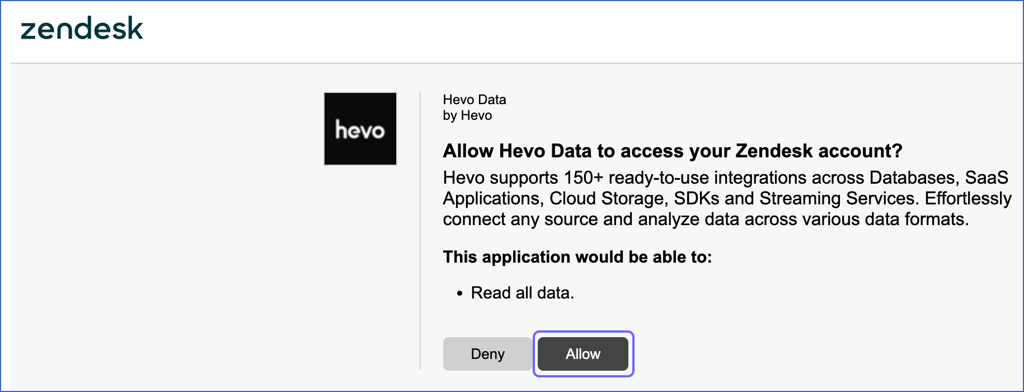
You are redirected to the Configure Source screen.
-
-
Historical Sync Duration: The duration for which you want to ingest existing data from the Source. This setting cannot be changed after the Pipeline is created. Default value: All time.
This setting applies to the following objects:
Parent Object Child Objects satisfaction_rating Not applicable ticket - alert_recipient
- ticket_alert
- ticket_attribute
- ticket_chat
- ticket_chat_event
- ticket_collaborator
- ticket_comment
- ticket_comment_attachment
- ticket_email_cc
- ticket_field_history
- ticket_follower
- ticket_macro_reference
- ticket_schedule
- ticket_tag
- ticket_tag_history
Note: This setting also applies to the tables created in the Destination for the multiselect custom fields of the ticket object.For these objects, once the historical load is complete, Hevo ingests only the incremental data. For all other objects, Hevo ingests the entire data during each Pipeline run.
Note: For objects that support resync, Hevo recalculates the sync window from the date of the resync. For example, if a Pipeline was created on April 10, 2026, with a 2-year historical sync duration, and any of these objects is resynced on April 20, 2026, Hevo ingests data from April 20, 2024, to April 20, 2026.
-
-
-
Click Test & Continue to test the connection to your Zendesk Support Source.
When you click this button, Hevo makes an API call to retrieve the details of the authenticated Zendesk user.
- If the API call is successful and the authenticated user has the Administrator role, the connection test is marked as successful. You can then proceed to set up your Destination.
- If the authenticated user does not have the Administrator role, the connection test fails. In this case, click Reauthorize and sign in with an account that has the Administrator role.
Data Replication
Hevo replicates data for all the objects selected on the Configure Objects page during Pipeline creation. By default, all supported objects and their available fields are selected. However, you can modify this selection while creating or editing the Pipeline.
Hevo ingests the following types of data from your Source objects:
-
Historical Data: The first run of the Pipeline ingests all available historical data for the selected objects and loads it into the Destination.
Note: For objects that support the Historical Sync Duration setting, Hevo ingests data only for the duration you specify while configuring your Source.
-
Incremental Data: Once the historical load is complete, new and updated records for objects are ingested as per the sync frequency. Hevo ingests incremental data in subsequent Pipeline runs using timestamp fields such as updated and updated_at.
Note: The timestamp used to detect incremental changes may differ from the Updated At value displayed in your Zendesk account.
Zendesk enforces API rate limits on the number of calls that can be made in a given time period. If this limit is exceeded, a rate limit exception occurs. To understand how Hevo handles such scenarios, read Handling Rate Limit Exceptions.
Note: Hevo supports the History Tracking load mode for the group_sla_policy_history and group_sla_policy_metric_history objects. For all objects, the Merge load mode is supported. The Append mode is not supported for any object.
Immutable Objects
Some Zendesk Support objects cannot be updated after they are created. Once a record is created, Zendesk does not allow any modifications to it. Since updates for these objects are not possible, Hevo ingests only new records for them during incremental Pipeline runs.
The following objects are immutable:
- ticket_comment
- ticket_field_history
- ticket_tag_history
Schema and Primary Keys
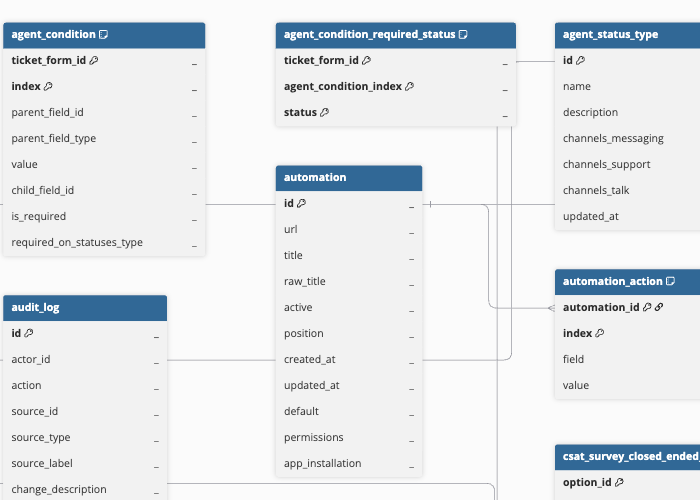
Hevo uses the following schema to upload the records in the Destination. For a detailed view of the objects, fields, and relationships, click the ERD.
Data Model
The following is the list of tables (objects) that are created at the Destination when you run the Pipeline:
| Object | Description |
|---|---|
| Addresses | Contains the business addresses configured for your Zendesk Talk account, including the address name, street, city, and country code. |
| Agent Attributes | Contains the attributes assigned to agents, such as skills. |
| Agent Status Types | Contains the agent status types available across Support, Talk, and Messaging channels, including the status name and which channels it applies to. It includes a child object, Agent Status Type Group. |
| Articles | Contains Help Center knowledge base articles, including the title, body, author, and whether the article is a draft. It includes the following child objects: - Article Content Tag - Article Label Name - Article Outdated Locale |
| Article Comments | Contains comments left by users on Help Center articles, including the comment body and author. |
| Audit Logs | Contains a record of configuration and account changes made in your Zendesk account, including the actor, action, and affected resource. |
| Automations | Contains business rules that perform actions after a ticket has been in a given state for a period of time, including the automation title and status. It includes the following child objects: - Automation Action - Automation Condition |
| Brands | Contains the customer-facing identities configured for your account, including the brand name, subdomain, and whether it has an associated Help Center. |
| Call Legs | Contains details of each participant’s connection within a Zendesk Talk call, including the participant type, duration, and completion status. It includes a child object, Call Leg Quality Issue. |
| Call Metrics | Contains aggregated call metrics, including call direction, duration, wait time, and talk time. |
| Categories | Contains the top-level organizing containers of your Help Center knowledge base, including the category name, description, and locale. |
| Content Subscriptions | Contains user subscriptions to Help Center sections, articles, and community content for notification purposes. |
| Content Tags | Contains tags that can be assigned to Help Center articles and community posts to group related content. |
| Custom Roles | Contains custom agent roles available on Enterprise plans and above, including the role name and its granular configuration permissions. |
| Forum Topics | Contains community topics, which are collections of related community posts, including the topic name and description. |
| Greetings | Contains default and custom voice greetings played to callers, including the greeting name and audio file details. It includes a child object, Greeting IVR. |
| Greeting Categories | Contains categories used to group voice greetings. |
| Groups | Contains collections of agents that tickets can be assigned to, including the group name, description, and visibility. |
| Group Members | Links an agent to a group. |
| Group SLA Policy History | Contains group-level SLA policies that define target response and resolution times for tickets assigned to specific groups, including the policy title, description, and filter conditions. It includes a child object, Group SLA Policy Metric History. |
| IVRs | Contains Interactive Voice Response (IVR) menus, available on the Talk Professional and Enterprise plans, including the IVR name. It includes the following child objects: - IVR Menu - IVR Menu Route - IVR Menu Route Option |
| Lines | Contains the phone numbers and digital lines available in your Zendesk Talk account, including the line nickname, number, and enabled capabilities. It includes the following child objects: - Line Categorised Greeting - Line Greeting - Line Group |
| Locales | Contains the languages supported by your Zendesk Support account, including the locale code and native name. |
| Macros | Contains predefined sets of actions that agents can apply to a ticket to update its fields in one step, including the macro title and description. It includes a child object, Macro Action. |
| Organizations | Contains groupings of users, typically by company, including the organization’s name, notes, and custom field values. It includes the following child objects: - Domain Name - Organization Tag |
| Organization Members | Links a user to an organization. |
| Posts | Contains content shared by users in the community, including the post title, details, and status. |
| Post Comments | Contains comments left by users on community posts, including the comment body and author. |
| Satisfaction Ratings | Contains customer satisfaction ratings submitted for tickets, including the score, comment, and associated ticket. |
| Schedules | Contains business hours schedules used to define your support team’s availability, including the schedule name and time zone. It includes a child object, Schedule Holiday. |
| Sections | Contains sections that group related articles within a category, including the section name and position. |
| SLA Policy History | Contains account-level SLA policies, which define target response and resolution times for tickets, including the policy title and description. It includes a child object, SLA Policy Metric History. |
| Suspended Tickets | Contains incoming emails that Zendesk flagged as spam or could not process into a ticket, including the sender, subject, and content. Zendesk automatically and permanently deletes a suspended ticket that is not reviewed within 14 days. It includes a child object, Suspended Ticket Attachment. |
| Tickets | Contains customer support requests, including subject, description, priority, status, type, and the assigned agent, group, and organization. It includes the following child objects: - Alert Recipient - Ticket Alert - Ticket Attribute - Ticket Chat - Ticket Chat Event - Ticket Collaborator - Ticket Comment - Ticket Comment Attachment - Ticket Email CC - Ticket Field History - Ticket Follower - Ticket Macro Reference - Ticket Schedule - Ticket Tag - Ticket Tag History Note: The Ticket Comment Attachment object contains only file metadata, including the file name, size, content type, and URL. The actual file content is not replicated. |
| Ticket CSAT Surveys | Contains the Customer Satisfaction (CSAT) survey sent for a ticket, including its state and expiry. It includes the following child objects: - CSAT Survey Answer - CSAT Survey Closed Ended Option - CSAT Survey Question - CSAT Survey Rating Option |
| Ticket Custom Fields | Contains system and custom fields available on tickets, including the field key, type, title, and whether it is required. It includes a child object, Ticket Field Option. |
| Ticket Custom Statuses | Contains custom ticket sub-statuses mapped to Zendesk’s system status categories, including the agent-facing and end-user-facing labels. |
| Ticket Form History | Contains ticket forms, which define the subset of ticket fields shown to agents and end users, including the form name and visibility settings. It includes the following child objects: - Agent Condition - Agent Condition Required Status - End User Condition - Ticket Form Field - Ticket Form Restricted Brand |
| Ticket Side Conversations | Contains side conversations started by agents to loop in people outside the main ticket conversation, including the subject and current state. It includes the following child objects: - Ticket Side Conversation Event - Ticket Side Conversation Recipient |
| Ticket SLA Policies | Contains the account-level Service Level Agreement (SLA) policy applied to a ticket, including the policy and the time it was applied. It includes a child object, Ticket Group SLA Policy. |
| Time Zones | Contains the list of time zones and their standard UTC offsets that Zendesk supports for schedules and user profiles. |
| Translations | Contains translated content for articles, categories, and sections in each supported locale, including the translated title and body. |
| Triggers | Contains business rules that automatically perform actions when a ticket is created or updated and certain conditions are met, including the trigger title and whether it is active. It includes the following child objects: - Trigger Action - Trigger Condition |
| Users | Contains people who interact with your Zendesk account, including agents, administrators, and end users, along with their name, email, role, and status. It includes the following child objects: - User Identity - User Tag |
| User Segments | Contains user segments, which define who can view the content of a Help Center section or community topic, including the segment name and user type. It includes the following child objects: - User Segment Added User - User Segment Group - User Segment Organization - User Segment Tag |
| User Votes | Contains up or down votes cast by users on Help Center articles, article comments, posts, and post comments. |
Additional Information
Read the detailed Hevo documentation for the following related topics:
Handling of Deletes
For the ticket object, Zendesk marks deleted records by setting the status field to deleted. For all other objects, when a record is deleted, it is no longer returned in subsequent API responses.
Hevo uses a full data refresh approach to capture delete actions. During each Pipeline run, Hevo compares the data fetched from the Source object with the data present in the Destination table. If a record exists in the Destination but is no longer returned by the Source, the record is marked as deleted by setting the value of the metadata column __hevo__marked_deleted to True. This applies only to the following objects, for which the complete data is ingested during each sync:
| Object Category | Objects |
|---|---|
| Brand and Groups | - brand - group - group_member |
| Business Rules | - custom_role - sla_policy_history |
| Community | - forum_topic - post |
| Help Center | - content_tag |
| Organizations | - organization_member |
| Schedules | - schedule - schedule_holiday |
| Talk (Voice) | - address - agent_status_type - agent_status_type_group - greeting - greeting_category - greeting_ivr - ivr - ivr_menu - ivr_menu_route - ivr_menu_route_option - line - line_categorised_greeting - line_greeting - line_group |
| Ticket Forms | - agent_condition - agent_condition_required_status - end_user_condition - ticket_form_field - ticket_form_history - ticket_form_restricted_brand |
| Tickets | - suspended_ticket - suspended_ticket_attachment |
| User Segments | - user_segment - user_segment_added_user - user_segment_group - user_segment_organization - user_segment_tag |
For the following child objects, if a record is deleted at the Source and no longer appears in its parent object’s data, Hevo automatically removes the deleted record from the Destination:
-
sla_policy_metric_history
-
trigger_action, trigger_condition
-
automation_action, automation_condition
-
macro_action
-
article_label_name, article_content_tag, article_outdated_locale
-
user_tag, organization_tag, domain_name
-
ticket_tag, ticket_collaborator, ticket_email_cc, ticket_follower, ticket_attribute
-
agent_attribute
-
call_leg_quality_issue
-
user_vote
For all other objects, Hevo does not capture deletes. If a record is deleted in Zendesk, it remains in the Destination unless you resync the object with the Drop and load option enabled.
Source Considerations
-
The ticket_side_conversation object and its child objects require the Collaboration add-on to be enabled on your Zendesk account. If it is not, these objects have no data to sync.
-
The audit_log object is available only on the Zendesk Enterprise plan. If your account is on a lower plan, it does not contain any data to sync.
-
The ticket object supports multiselect custom fields. For each such field configured in your Zendesk account, Hevo creates a separate table in the Destination.
Revision History
Refer to the following table for the list of key updates made to this page:
| Date | Release | Description of Change |
|---|---|---|
| Sep-23-2026 | NA | New document. |