Release Version 2.50
On This Page
The content on this site may have changed or moved since you last viewed it. As a result, some of your bookmarks may become obsolete. Therefore, we recommend accessing the latest content via the Hevo Docs website.
This release note also includes the fixes provided in all the minor releases since 2.49.
To know the complete list of features available for early adoption before these are made generally available to all customers, read our Early Access page.
In this Release
New and Changed Features
Account Management
Support for Workspaces
NewHevo supports Workspaces for Independent Software Vendors (ISVs), enabling them to manage multiple clients from a single Hevo account. Each client can be assigned a dedicated Workspace with its own Pipelines, Destinations, and users, ensuring data remains isolated and accessible only to authorized users within that Workspace. This eliminates the need to maintain separate Hevo accounts for each client while providing secure and independent data management.
Workspaces are available only on the Business Critical plan in Hevo.
Workspaces →Destinations
Support for Microsoft Entra ID Authentication in SQL Server
NewHevo now supports Microsoft Entra ID authentication for the SQL Server Destination. You can connect your Azure SQL database using a Service Principal registered in Microsoft Entra ID, eliminating the need to share database credentials for authentication. This provides a more secure and centralized way to manage access to your SQL Server Destination.
SQL Server →Support for Switching Account Types for Google BigQuery
EnhancedIntroduced the option to switch between a user account and a service account when editing a Google BigQuery Destination. Previously, the account type configured during Destination creation could not be modified, requiring you to create a new Destination to use a different authentication method.
Modifying BigQuery Destination Configuration →Sources
Support for CockroachDB as a Source (Edge)
NewHevo now supports CockroachDB as a Source for creating Pipelines. CockroachDB is a distributed SQL database designed for horizontal scalability, high availability, and fault tolerance. It automatically distributes data across multiple nodes to ensure continuous operation in the event of node failures.
CockroachDB →Support for HubSpot as a Source (Edge)
NewIntroduced HubSpot as a Source for creating Pipelines in Hevo. This integration supports data replication from CRM, Goals, Marketing, Service, and Web Analytics schemas into your Destination using HubSpot REST APIs and webhooks via OAuth authentication.
HubSpot →Support for Salesforce Marketing Cloud as a Source (Edge)
NewHevo now supports Salesforce Marketing Cloud as a Source for creating Pipelines. You can replicate data from your Salesforce Marketing Cloud account to your Destination using the Salesforce Marketing Cloud SOAP API, REST API, and SFTP.
Salesforce Marketing Cloud →Upgrade to Version 2.13 of the Intercom API
Action neededHevo has upgraded the Intercom App integration to use Version 2.13 of the Intercom API. As part of this upgrade, the following new fields are now available for ingestion across multiple objects.
| Objects | New fields |
|---|---|
| Contacts | location_country_code, location_continent_code, sms_consent, unsubscribed_from_sms, opted_in_subscription_types, opted_out_subscription_types, utm_source, utm_medium, utm_campaign, utm_content, utm_term, referrer, enabled_push_messaging |
| Companies | plan_type, plan_id, plan_name |
| Conversations | linked_objects, ticket, topics, ai_agent_participated, ai_agent |
| Conversation Parts | external_id, app_package_code, email_message_metadata, event_details, state, tags |
| Conversation Statistics | handling_time, adjusted_handling_time, assigned_team_first_response_time, assigned_team_first_response_time_in_office_hours |
| Tickets | company_id, ticket_attributes |
| Ticket Types | is_internal |
| Ticket Type Attributes | default, visible_to_contacts, required_to_create_for_contacts |
| Ticket Parts | app_package_code |
| Tags | applied_at, applied_by |
For existing Pipelines, the new fields are added to the relevant Destination tables. However, rows ingested before this release will show NULL for these columns, as the data was fetched before these fields were available in the Intercom API. If you need the values backfilled for previously ingested records, restart the historical load for the impacted objects.
User Experience
Improved Navigation with Repositioned Tools Bar
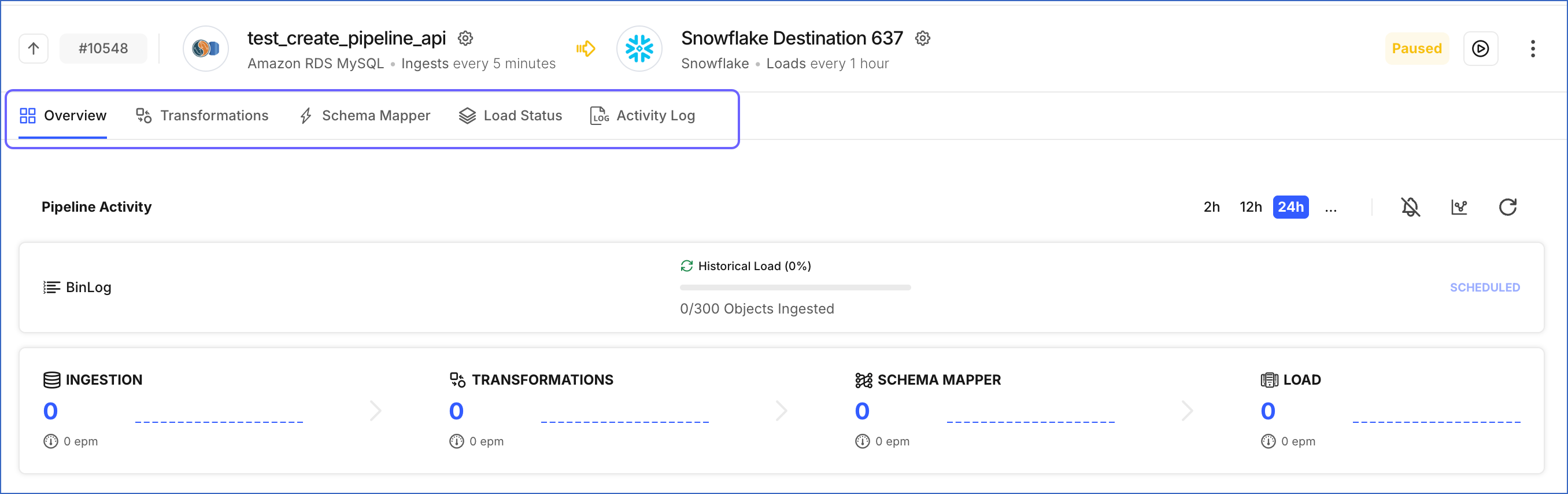
EnhancedThe Tools Bar, which provides quick access to tabs such as Overview, Schema Mapper, and Activity Log, is now displayed horizontally at the top of the page rather than on the left.
-
Navigation tabs are now more prominent and easier to access.
-
Frees up horizontal space, allowing you to view more details across Pipelines, Destinations, and Models without scrolling.
-
Consistent top-navigation pattern across all Detailed Views for a more intuitive experience.
Updated Pipeline List View UI
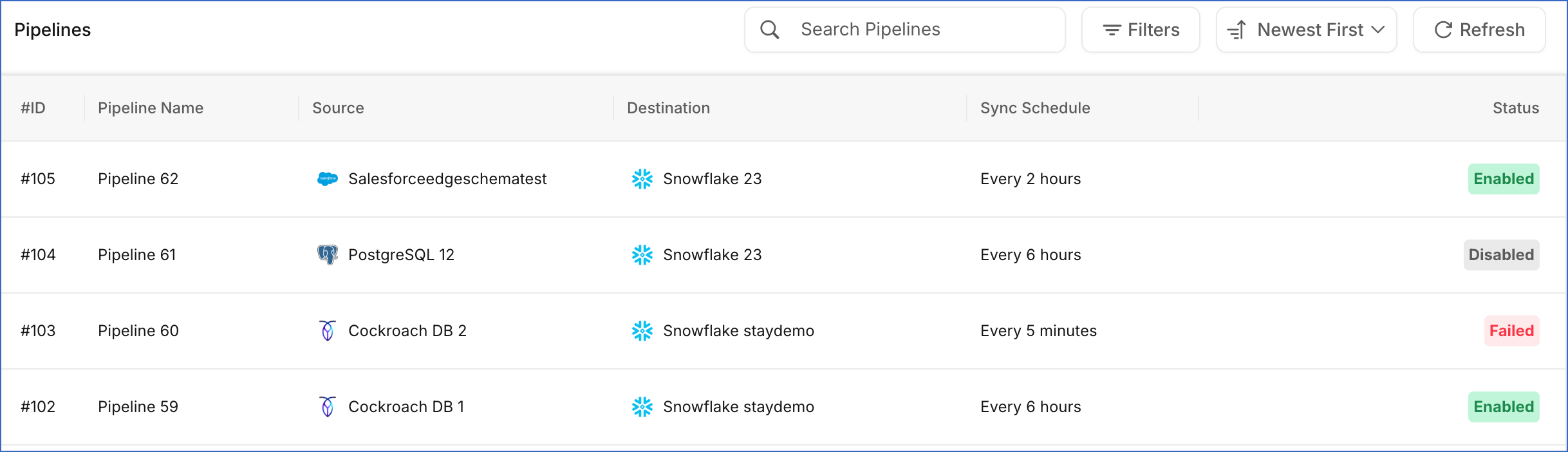
EnhancedThe Pipeline List View has been redesigned into a tabular format, giving you a clearer view of all your Pipelines, including their Source, Destination, sync schedule, and status, all on a single page. This increases navigability and makes it easier to find and manage your Pipelines.
Fixes and Improvements
Pipelines
Handling Data Loading Delays for Unaffected Objects During Object Resync (Edge)
Fixed an issue where resyncing objects in a Pipeline delayed data loading to the Destination for other objects in the same Pipeline. Previously, Hevo waited for the resync to complete before loading data for all objects in the Pipeline, which delayed availability in the Destination for objects that were not part of the resync. With this fix, only the objects being resynced wait for the resync to complete before their data is loaded to the Destination. All other objects continue loading data to the Destination without interruption. This applies to all new and existing Pipelines.